Loading
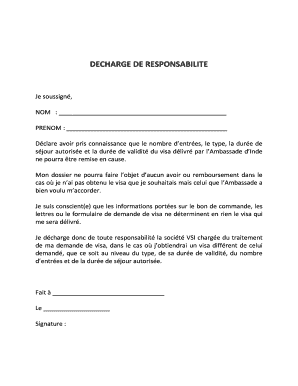
Get Decharge De Responsabilite - Vsi-visa.com
How it works
-

Open form follow the instructions
-

Easily sign the form with your finger
-

Send filled & signed form or save
How to fill out the DECHARGE DE RESPONSABILITE - Vsi-visa.com online
Filling out the DECHARGE DE RESPONSABILITE is an important step in the visa application process. This guide will help you navigate through the form to ensure all necessary information is provided correctly.
Follow the steps to complete the form accurately.
- Click the ‘Get Form’ button to obtain the form and access it in the editor.
- In the first section, enter your last name (NOM) in the designated space provided.
- Next, enter your first name (PRENOM) in the appropriate field.
- Review the statement regarding the visa issued by the Embassy of India, then confirm your understanding of the conditions and limitations as outlined.
- Acknowledge that, in the event of receiving a different visa than requested, you release VSI from any liability regarding the discrepancies.
- In the section labeled 'Fait à', provide the place where you are filling out this form.
- Fill in the date in the 'Le' section.
- Complete the form by signing in the designated 'Signature' area to confirm your agreement with the terms stated.
- Once all fields are completed, you can save changes, download, print, or share the form as needed.
Complete your documents online for a smooth application process.