Loading
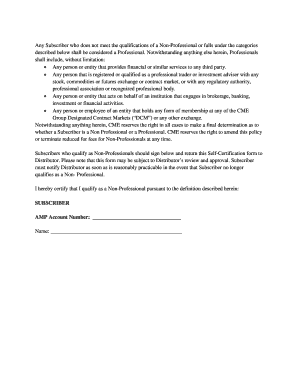
Get Comexpro Online官网
How it works
-

Open form follow the instructions
-

Easily sign the form with your finger
-

Send filled & signed form or save
How to fill out the Comexpro Online官网 online
Completing the Comexpro Online官网 is a straightforward process that enables subscribers to certify their non-professional status for reduced fees. This guide will walk you through each section of the form, providing clear instructions to ensure your submission is accurate and complete.
Follow the steps to complete the Comexpro Online官网 form.
- Click ‘Get Form’ button to obtain the form and open it in the editor.
- Begin by entering your AMP account number in the designated field. This is essential for identifying your trading account.
- Next, provide your full name in the specified area. Ensure that it matches the name associated with your trading account.
- Review the qualifications for non-professional status outlined in the form. Confirm that you meet all criteria before continuing.
- In the certification section, you will need to confirm that you qualify as a non-professional according to the definitions provided. This typically involves agreeing to the restrictions on your use of information.
- After completing the form, carefully review all information for accuracy. Accurate details will assist in the timely processing of your certification.
- Finally, save your changes. You can then download, print, or share the completed form with the distributor as per their submission guidelines.
Get started by completing the Comexpro Online官网 form today!