Loading
Get Youth Registration - Tyfa
How it works
-

Open form follow the instructions
-

Easily sign the form with your finger
-

Send filled & signed form or save
How to fill out the Youth Registration - TYFA online
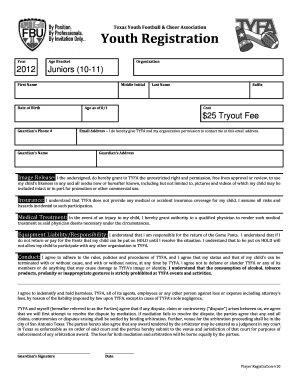
Completing the Youth Registration form for the Texas Youth Football & Cheer Association (TYFA) is a straightforward process that ensures your child's participation in the program. This guide provides step-by-step instructions to assist you in filling out the form accurately and efficiently.
Follow the steps to successfully complete the registration.
- Press the ‘Get Form’ button to access the registration form and open it in your preferred editor.
- Enter the year your child will be participating in the league. This is typically a four-digit number (e.g., 2023).
- Select your child's age bracket from the options available. For example, 'Juniors (10-11)'.
- Provide the first name and last name of your child in the designated fields.
- Include your child's middle initial, date of birth, and age as of August 1st of the current year.
- Enter your contact details by filling in the guardian's phone number and email address. Make sure to give permission for TYFA to contact you via the provided email.
- Fill in the guardian's full name and address. This is crucial for identification and communication purposes.
- Review the image release section and agree by signing that you grant TYFA permission to use your child’s likeness in media.
- Acknowledge the insurance section by understanding that TYFA does not provide medical coverage and that you assume all risks.
- In case of injury, grant permission for medical treatment by signing in the medical treatment section.
- Read the equipment liability section, affirming your responsibility to return game pants. Acknowledge the consequences of not returning or paying for the equipment.
- Agree to adhere to TYFA's conduct rules and responsibilities. Your understanding of this section must be indicated by your signature.
- Complete the final sections regarding indemnification and dispute resolution. Sign and date the form to validate the registration.
- Once all sections are completed, save the changes made to the form. You may choose to download, print, or share the completed registration form as needed.
Start completing the Youth Registration - TYFA online now for your child's participation!
Eligibility is determined by what age an athlete will be on 08/01/current year AGE BRACKETAGENOTESTYKES6-7If 6 or 7 on or before 8/1ROOKIES8-9If 8 or 9 on or before 8/1JUNIORS10-11If 10 or 11 on or before 8/1SENIORS12-13If 12 or 13 on or before 8/11 more row