Loading
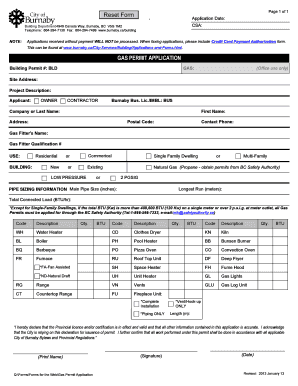
Get Gas Permit Application - Burnaby
How it works
-

Open form follow the instructions
-

Easily sign the form with your finger
-

Send filled & signed form or save
How to fill out the GAS PERMIT APPLICATION - Burnaby online
Completing the GAS Permit Application for Burnaby online can streamline the process of obtaining necessary approvals for gas installations. This guide provides clear, step-by-step instructions to help users navigate through each section of the application form with ease.
Follow the steps to complete your application accurately.
- Press the ‘Get Form’ button to acquire the GAS Permit Application form and open it in your preferred editor.
- Enter the 'Application Date' and 'CSA' numbers at the top of the form. Make sure these details are accurate to avoid any processing delays.
- Fill in the 'Site Address' where the gas work will be performed. This section is crucial for identification and verification.
- Provide a brief description of the project in the 'Project Description' field to clarify the nature of the work being undertaken.
- Select whether you are the 'Owner' or 'Contractor' of the project. Fill in the relevant details including 'Company or Last Name,' 'First Name,' 'Address,' 'Postal Code,' and 'Contact Phone' for the applicant.
- Specify the 'Gas Fitter's Name' and 'Gas Fitter Qualification #' to ensure that the installation will be performed by a qualified professional.
- Choose the type of gas work you are applying for by selecting 'Residential' or 'Commercial'. Then indicate if the building type is 'New' or 'Existing.'
- Indicate whether you will be using 'Natural Gas' or 'Propane' and provide the corresponding pressure type (LOW PRESSURE or 2 PGSIG).
- In the 'Pipe Sizing Information' section, provide the 'Main Pipe Size (inches),' 'Longest Run (meters),' and 'Total Connected Load (BTU/hr),' making sure to check the regulations regarding BTU limits.
- List all necessary equipment by filling out the 'Code,' 'Description,' 'Qty.,' and 'BTU' fields for each item that will utilize gas, ensuring accuracy in quantities.
- Read the declaration statement carefully. After ensuring all information is correct, print your name, sign, and date the application to confirm your understanding and agreement with the terms.
- Once the form is complete, you can save any changes made, download, print a copy for your records, or share the application as needed.
Complete your GAS Permit Application online today to ensure timely processing and compliance with regulations.
The removal and disposal of an old oil storage tank must be carried out ing to existing Building Regulations. An OFTEC registered engineer will carry out an assessment to decommission, remove and dispose of the old oil tank, identifying any fire or environmental risks that may be associated with the process.