Loading
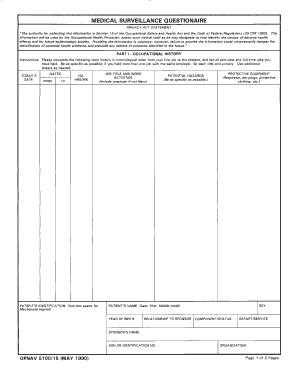
Get Navy Medical Surveillance Form
How it works
-

Open form follow the instructions
-

Easily sign the form with your finger
-

Send filled & signed form or save
How to fill out the Navy Medical Surveillance Form online
The Navy Medical Surveillance Form is an essential document designed to collect important health information. This guide provides a comprehensive, step-by-step approach to help users fill out the form accurately and efficiently online.
Follow the steps to complete the Navy Medical Surveillance Form online
- Click the ‘Get Form’ button to access the Navy Medical Surveillance Form and open it in your preferred editor.
- Begin by entering your personal information in the designated fields. This section typically includes your name, rank, service number, and contact information.
- Proceed to the health history section. Here, you will need to provide information about your medical history, any recent illnesses, or conditions you may have experienced.
- Fill out the section regarding current medications. List any prescriptions or over-the-counter medications you are currently taking.
- Complete the vaccination history section. Ensure you provide accurate dates and types for any vaccinations you have received.
- Review the final comments or concerns section. Use this area to add any additional information that may be relevant to your health status.
- After thoroughly filling out the form, save any changes you made. You may then choose to download, print, or share the completed form as needed.
Complete your documents online today for a seamless submission experience.
Number. SECNAV 5100/1. Title. Supervisor's Medical Surveillance and Certification Exam Referral.