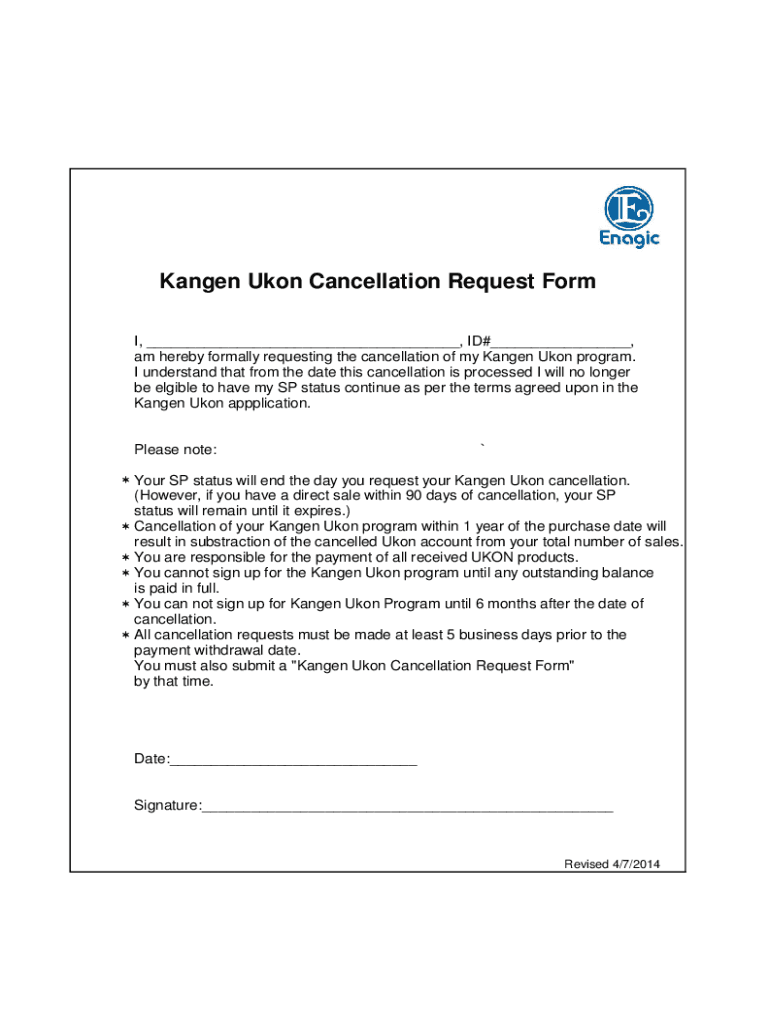
Kangen Ukon Cancellation Request Form I, , ID# , am hereby formally requesting the cancellation of my Kangen Ukon program. I understand that from the date this cancellation is processed I will.
Loading

Open form follow the instructions

Easily sign the form with your finger

Send filled & signed form or save
How to fill out the Kangen Ukon Cancellation Form - ORIGINAL.xls online
This guide provides a comprehensive overview of how to effectively complete the Kangen Ukon Cancellation Form - ORIGINAL.xls. Follow these instructions to ensure a smooth and efficient cancellation process.
Follow the steps to accurately fill out your cancellation request.
- Click the ‘Get Form’ button to download the Kangen Ukon Cancellation Form - ORIGINAL.xls and open it in your preferred online editor.
- In the first blank line marked 'I, ______________________________________,' enter your full name. Ensure it matches the name on your account.
- Read the cancellation policy carefully. By submitting this form, you acknowledge that your SP status will end on the cancellation request date.
- Sign your name in the 'Signature:' field, confirming your request for cancellation. This step is crucial to validate your submission.
- Save your changes to the document. You can download a copy for your records, print the form, or share it as needed.
Complete your Kangen Ukon Cancellation Form online to ensure your request is processed promptly.
Experience a faster way to fill out and sign forms on the web. Access the most extensive library of templates available.
Related content
WHEATON PRECIOUS METALS 2019 ANNUAL INFORMATION FORM [2] ... Abbreviations as follows: FM...
by RJ Norman · Cited by 3 — Tomato was most affected by bispyribac at drift rates...
The Cripple Creek & Victor Gold Mine, formerly and historically the Cresson Mine, ... This...
Get answers to your most pressing questions about US Legal Forms API.
How do I cancel my Enagic membership?
Send enagic cancellation form via email, link, or fax. You can also download it, export it or print it out. Draw your signature, type it, upload its image, or use your mobile device as a signature pad. Send enagic cancellation form via email, link, or fax.
What are the benefits of Ukon Enagic?
Ukon™ (wild turmeric) has been recognized for centuries as a natural healer. It has been known since the era of the Ryukyu Dynasty as a strong antioxidant, and India's ancient medicine (Ayurveda) has used turmeric as an analgesic, antibacterial, anti-inflammatory, anti-allergic, and antioxidant for over 6,000 years.
Use professional pre-built templates to fill in and sign documents online faster. Get access to thousands of forms.
If you believe that this page should be taken down, please follow our DMCA take down process here.