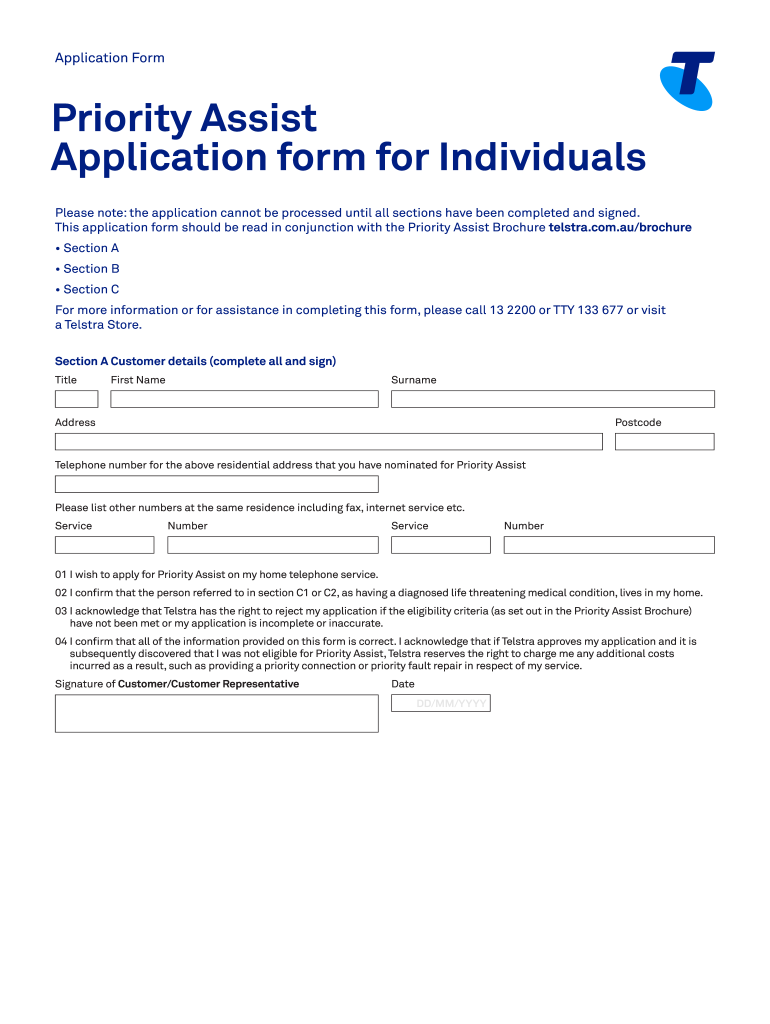
Application FormPriority Assist Application form for Individuals Please note: the application cannot be processed until all sections have been completed and signed. This application form should be.
Loading

Open form follow the instructions

Easily sign the form with your finger

Send filled & signed form or save
How to fill out the AU Telstra Priority Assist Application Form for Individuals online
Filling out the AU Telstra Priority Assist Application Form for Individuals online can be a straightforward process when approached methodically. This guide will walk you through each section of the form, ensuring you understand what information is required for a successful application.
Follow the steps to complete your application form seamlessly.
- Click ‘Get Form’ button to obtain the application form and open it in the editor.
- Begin by completing Section A, which requires your customer details. Fill in your title, first name, surname, address, postcode, and the telephone number for the residence nominated for Priority Assist. Provide any other relevant numbers like fax or internet service numbers.
- In Section A, confirm whether you wish to apply for Priority Assist and acknowledge that you have a person with a diagnosed life-threatening medical condition residing in your home. Also, affirm that the information provided is accurate and that you understand Telstra's rights regarding your application.
- Sign and date Section A to finalize your customer details and indicate your agreement with the statements provided.
- Move to Section B to provide privacy consent. The patient must sign here, allowing Telstra to collect and use the information as outlined. Ensure the signature is dated appropriately.
- Proceed to Section C. You must either complete C1 for medical practitioner confirmation or C2 if a statutory declaration is necessary. If using C1, have your medical practitioner fill out their details, provide their signature, and date it.
- If you choose C2, complete the statutory declaration carefully, including details of the medical condition verified by an authorized witness. The witness should also sign and provide their details.
- Optionally, in Section D, provide information for any authorized representatives. Include their title, first name, surname, address, postcode, and telephone number.
- Once all sections are completed and signed, save your changes. You can then download, print, or share the form as needed before submitting it to Telstra via email, fax, or post as detailed in the instructions.
Fill out your AU Telstra Priority Assist Application Form online today to ensure you receive timely assistance.
Experience a faster way to fill out and sign forms on the web. Access the most extensive library of templates available.
Related content
4. Addresses. The addresses of persons named in this form are as follows: ... priority...
by ABN AMRO · 2003 — We provide local call services to most residential and business...
Please complete Part C to have any services from Part B transferred to the new account...
Use professional pre-built templates to fill in and sign documents online faster. Get access to thousands of forms.
If you believe that this page should be taken down, please follow our DMCA take down process here.