Loading
Get Canada Flr 13 2015
How it works
-

Open form follow the instructions
-

Easily sign the form with your finger
-

Send filled & signed form or save
How to fill out the Canada FLR 13 online
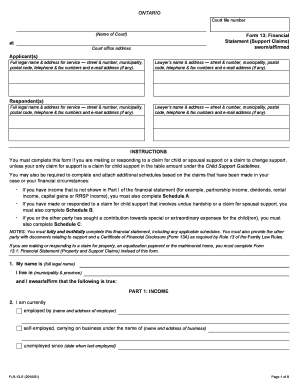
The Canada FLR 13 form is crucial for individuals making or responding to claims for child or spousal support. This comprehensive guide will take you through each section and field of the form, allowing you to complete it efficiently and accurately.
Follow the steps to fill out the Canada FLR 13 form online.
- Click ‘Get Form’ button to obtain the Canada FLR 13 form and open it in your preferred digital environment.
- Start by entering your full legal name and your municipality and province in the designated fields. Be sure to provide your contact details, including your complete address, phone number, and email if available.
- Next, move on to the applicant and respondent sections. Provide the full legal names and addresses of both parties involved in the claim.
- Include contact information for the lawyers representing either party, ensuring all necessary details such as their full name, address, and contact information are clearly filled out.
- In Part 1: Income, provide details of your employment status and attach the necessary proof of income documentation as specified. This includes items such as pay stubs, tax returns, and any additional income sources.
- Fill in your income details by listing every source of income in the appropriate fields, including amounts received monthly.
- Continue to Part 2: Expenses by itemizing all your monthly expenses. Include automatic deductions and separate household expenses, ensuring each category is accurately recorded.
- Proceed to Part 3: Assets, where you will list all your assets and their values. This includes real estate, vehicles, investment accounts, and any personal belongings of significant value.
- Next, in Part 4: Debts, detail all types of debts and amounts owed to creditors. Ensure you indicate whether payments are being made.
- Finally, summarize your financial situation in Part 5: Summary of Assets and Liabilities. Calculate the total assets, total debts, and net worth.
- After completing all sections, review your entries for accuracy. Save changes and proceed to download, print, or share the completed form as required.
Complete your Canada FLR 13 form online to ensure a smooth processing of your support claims.
Get form
Experience a faster way to fill out and sign forms on the web. Access the most extensive library of templates available.
Get This Form Now!
Use professional pre-built templates to fill in and sign documents online faster. Get access to thousands of forms.