Ledge. Signature .
Loading

Open form follow the instructions

Easily sign the form with your finger

Send filled & signed form or save
How to fill out the CO DR 2421 online
The CO DR 2421 is a vital document required by the Colorado Department of Revenue for various legal declarations. This guide aims to provide clear and supportive instructions for completing the form online, ensuring that all users can easily navigate each section.
Follow the steps to complete the form accurately.
- Press the ‘Get Form’ button to access the CO DR 2421 and open it in the editor.
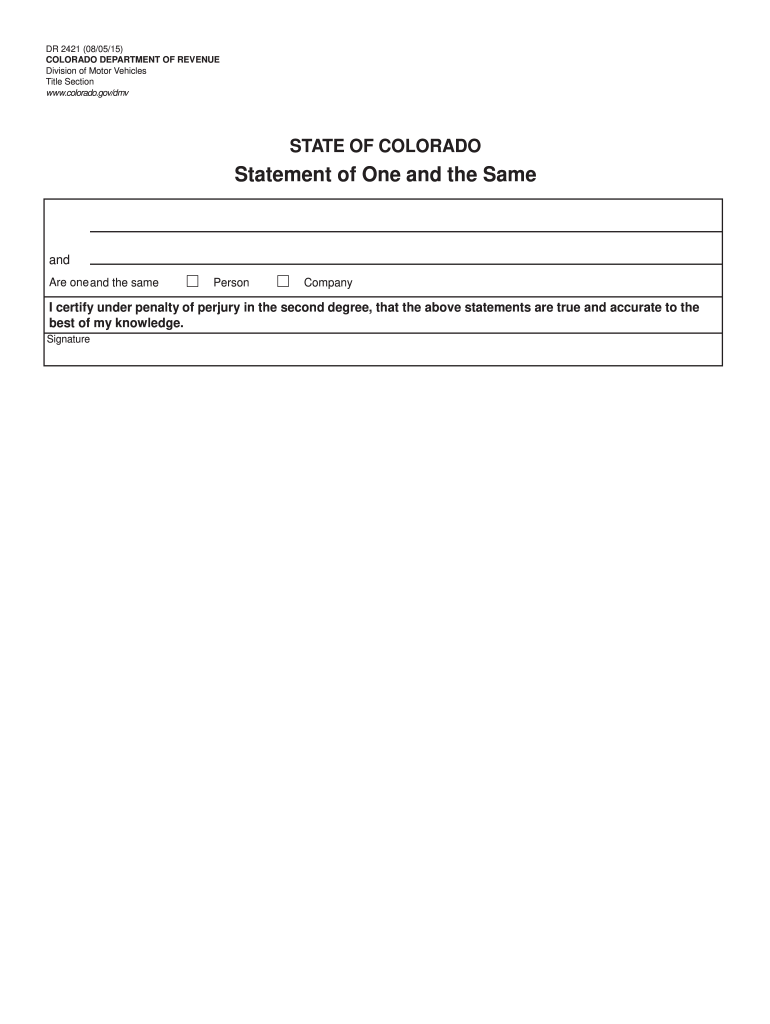
- Carefully read the purpose of the form, which is to confirm the identity of a person or company as one and the same. Ensure you understand the implications of the statements you will make.
- In the provided fields, enter your name or the name of the company as applicable. Make sure to double-check the spelling and format.
- Select the correct designation by checking the box indicating whether the statement pertains to a person or a company. Ensure accuracy in your selection.
- Complete the certification statement, affirming that the information provided is accurate to your knowledge. Be mindful that this statement is made under penalty of perjury.
- Sign the form in the designated signature field. Depending on the process, electronic signatures may be allowed, so follow any prompts that inform you how to sign online.
- Once all fields are completed and verified for accuracy, proceed to save your changes. Choose the option that allows you to download, print, or share the completed form as needed.
Act now to complete your documents online for a smoother process.
Experience a faster way to fill out and sign forms on the web. Access the most extensive library of templates available.
Related content
DR 2421 (09/15/23). COLORADO DEPARTMENT OF REVENUE. Division of Motor Vehicles. Vehicle...
May 19, 2025 — *DR 2421 Statement o One in the Same is required when the owner's name on...
The Proservo NMS5/7 series of intelligent tank gauges are designed for high accuracy...
Get answers to your most pressing questions about US Legal Forms API.
Do both parties need to be present to transfer a title in Colorado?
Yes, when transferring a title in Colorado, both parties must typically be present to sign the CO DR 2421 form. This requirement ensures that both the buyer and seller agree on the transfer details. If one party cannot attend, consider consulting uslegalforms for advice on how to handle this situation legally.
How to fill out DMV statement of facts form?
To fill out the DMV statement of facts form, start with referencing the CO DR 2421 guidelines. Provide accurate information regarding the vehicle and the situation leading to your statement. Take your time to ensure clarity, as precise details can help in resolving any DMV concerns effectively.
How to fill out a power of attorney for motor vehicle in Colorado?
Filling out a power of attorney for a motor vehicle in Colorado is straightforward. Use the CO DR 2421 form to clearly state the Principal's name and the specific powers granted to the attorney-in-fact. Ensure that all signatures are completed as required, and if necessary, turn to uslegalforms for templates and examples to help you through the process.
How do you fill out a Colorado title?
To fill out a Colorado title, begin with obtaining the official CO DR 2421 form. Fill in your name, address, and vehicle details, ensuring accuracy to prevent any issues during processing. It's essential to sign and date the title where required, and if you're unsure about any part, consider using a platform like uslegalforms for guidance.
How to fill out a Colorado statement of fact?
Filling out the Colorado statement of fact (CO DR 2421) involves several key steps. First, gather the necessary information, such as your details and the specific facts you want to state. Next, follow the provided format to input your data accurately. After you complete the form, review it carefully to ensure all information is correct before submission.
How fast can I get a driver's license in Colorado?
You can obtain a driver's license in Colorado relatively quickly if you prepare required documents in advance. In many cases, you might leave the DMV with a temporary license within hours. For a clearer understanding of related processes under CO DR 2421, explore available resources on the uslegalforms platform to support your application.
How quickly can I get a Colorado driver's license?
The time it takes to receive your Colorado driver's license varies based on your circumstances, but you could leave the DMV with a temporary license on the same day. Expect processing for the full license to take approximately 10-15 business days. For specific situations under CO DR 2421, check if you can utilize online services to expedite your experience.
How long do you have to change your driver's license when you move to Colorado?
If you move to Colorado, you must change your driver's license within 30 days of establishing residency. This timeline ensures you stay compliant with state laws. To make this transition simple, review the CO DR 2421 documentation requirements to gather your necessary paperwork before your visit.
Can I expedite my driver's license in Colorado?
Yes, you can expedite your driver's license processing in Colorado under certain conditions. This option may be available if you require urgent travel or meet specific eligibility criteria. Always check the DMV website for details on expediting options and ensure you comply with CO DR 2421 guidelines for the fastest service.
Do you need an appointment for a Colorado DMV driver's license?
You do not necessarily need an appointment to obtain a Colorado DMV driver's license, but making one can save you time. The Colorado DMV allows walk-ins, although appointment availability varies by location. For a smoother experience, consider scheduling an appointment through the DMV website, especially if you are dealing with CO DR 2421 specific requirements.
Use professional pre-built templates to fill in and sign documents online faster. Get access to thousands of forms.
If you believe that this page should be taken down, please follow our DMCA take down process here.