Loading
Get 11000 6
How it works
-

Open form follow the instructions
-

Easily sign the form with your finger
-

Send filled & signed form or save
How to fill out the 11000 6 online
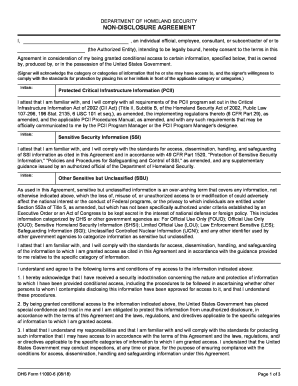
Filling out the 11000 6 form online is an essential step for individuals seeking conditional access to sensitive information under the Department of Homeland Security. This guide will provide clear, step-by-step instructions to ensure that users can complete the form accurately and efficiently.
Follow the steps to complete the form effectively.
- Click the ‘Get Form’ button to access the document and open it in your preferred editor.
- Begin by entering your name as the individual official, employee, consultant, or subcontractor who will be subject to the Agreement.
- In the section for Authorized Entity, provide the name of the organization or agency you are associated with.
- Initial to acknowledge your understanding and acceptance of each category of information you will access, including Protected Critical Infrastructure Information (PCII), Sensitive Security Information (SSI), and Other Sensitive but Unclassified (SBU).
- Read through the terms and conditions carefully. Ensure that you understand your responsibilities related to handling sensitive information.
- Complete the acknowledgement section by typing or printing your name, along with your organization’s address and telephone number.
- Sign and date the form, confirming your agreement to abide by the terms set forth.
- If applicable, have a witness sign the form in the designated area, including their contact information.
- Review all entries to confirm accuracy before saving your changes.
- Finally, download, print, or share the completed form as required.
Complete your 11000 6 form online seamlessly.
A non-disclosure agreement (NDA) is a legally binding contract that establishes a confidential relationship. The party or parties signing the agreement agree that sensitive information they may obtain will not be made available to any others.