Loading
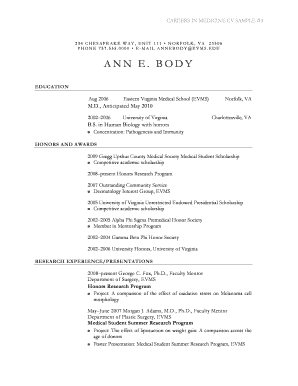
Get Cv Sample #3 - Aamc - Aamc
How it works
-

Open form follow the instructions
-

Easily sign the form with your finger
-

Send filled & signed form or save
How to fill out the CV Sample #3 - AAMC - Aamc online
Filling out your CV is an important step in showcasing your qualifications and experiences. This guide provides detailed instructions on how to complete the CV Sample #3 - AAMC - Aamc online, ensuring that you highlight your education, honors, research experience, and more in a clear and professional format.
Follow the steps to effectively complete your CV online.
- Press the ‘Get Form’ button to access the CV and open it in your preferred online editor.
- Begin by entering your personal information at the top of the CV. This includes your name, address, phone number, and email address. Ensure that your email is professional.
- Move to the education section. List your most recent educational experiences first, including the institution name, degree obtained, and dates of attendance. Remember to include any relevant honors or concentrations.
- In the honors and awards section, detail any scholarships or recognitions you've received. Clearly specify the name of the award and provide a brief description if necessary.
- Proceed to the research experience/presentations section. Include any research projects you have been involved in, specifying your role, faculty mentor, and a brief description of the project and results.
- List extracurricular activities under their own section. Include the name of the activity, your role, and a description of your involvement and contributions.
- In the professional memberships section, outline any relevant associations you belong to, indicating the type of membership and any roles held within the organization.
- Document your volunteer activities in a separate section. Provide details about each activity, including the organization, your role, and any notable contributions.
- In the work experience section, outline your past employment. Include the job title, employer, dates of employment, and a brief description of your responsibilities.
- Finally, add a section for interests. List personal hobbies or activities that reflect your personality and values.
- Once you have filled out all sections completely, review the document for any errors or omissions. Ensure that all information is accurate and up-to-date.
- After making any necessary changes, proceed to save your work. You can download, print, or share your completed CV as needed.
Complete your CV online today and take a step closer to advancing your career.
Related links form
7 Steps to Writing a Winning and Professional CV STEP 1 – Think about the Format. ... STEP 2 – Introductory Statement. ... STEP 3 – Education & Training. ... STEP 4 – Key Skills Summary. ... STEP 5 — Career History. ... STEP 6 – Personal Statement. ... STEP 7 – Referees.
Industry-leading security and compliance
US Legal Forms protects your data by complying with industry-specific security standards.
-
In businnes since 199725+ years providing professional legal documents.
-
Accredited businessGuarantees that a business meets BBB accreditation standards in the US and Canada.
-
Secured by BraintreeValidated Level 1 PCI DSS compliant payment gateway that accepts most major credit and debit card brands from across the globe.