Loading
Get 508 Compliance Checklist
This website is not affiliated with IRS
How it works
-

Open form follow the instructions
-

Easily sign the form with your finger
-

Send filled & signed form or save
How to fill out the 508 compliance checklist online
The 508 compliance checklist is an essential tool for ensuring that documents meet accessibility standards. This guide will provide clear instructions on how to effectively fill out this checklist online, catering to users with varying levels of experience.
Follow the steps to complete the 508 compliance checklist.
- Click ‘Get Form’ button to access the 508 compliance checklist and open it in the online editor.
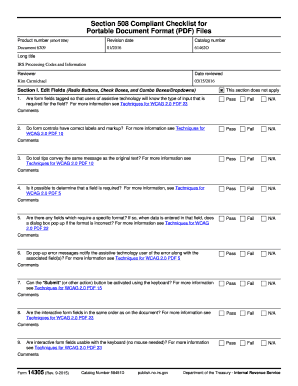
- Review Section I, which focuses on edit fields. Ensure all form fields are properly tagged for assistive technology users. Indicate if the fields pass or fail by selecting the appropriate options.
- In Section II, assess graphics and pictures. Check if images contain alternate text and are set as artifacts when necessary, marking your evaluations in the comments provided.
- Proceed to Section III to verify headings. Confirm that headers are correctly tagged to maintain order and structure throughout the document.
- Move to Section IV to examine tables. Ensure that headers and data cells are correctly tagged and that there is a logical relationship between them.
- In Section V, evaluate the document format. Check if the structure reads in the order a sighted reader would expect and whether the page navigation is consistent.
- Lastly, review Section VI to ensure all links are functional and identifiable. Confirm that each link has meaningful text.
- After completing all sections, check Section VII to determine if the document meets Section 508 compliance standards. Provide any final comments as needed.
- Save your changes, and if needed, download, print, or share the completed checklist for future reference.
Take the first step towards making your documents accessible by completing the 508 compliance checklist online.
To run the Adobe Acrobat Pro Accessibility Check on a PDF, select the Accessibility Tool in the Tools panel. Select Accessibility Check in the Accessibility Tool panel on the right. The Accessibility Checker panel on the left lists the 508 compliance issues.