Loading
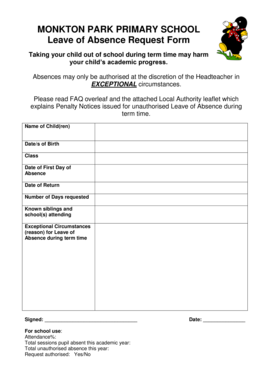
Get Holiday Request Form - Monkton Park Primary School
How it works
-

Open form follow the instructions
-

Easily sign the form with your finger
-

Send filled & signed form or save
How to fill out the Holiday Request Form - Monkton Park Primary School online
Filling out the Holiday Request Form for Monkton Park Primary School is an important step in seeking approval for taking your child out of school during term time. This guide provides clear instructions to assist you in accurately completing the form online.
Follow the steps to successfully complete the form online.
- Press the ‘Get Form’ button to obtain the Holiday Request Form and access it in your online editor.
- Input the name of your child(ren) in the designated field. This allows the school to identify the student for whom the leave is being requested.
- Enter the date(s) of birth for your child(ren) in the appropriate sections to ensure proper documentation.
- Specify the class for each child by selecting or typing it into the designated area. This helps the school keep accurate records.
- Indicate the date of the first day of absence you are requesting. Ensure that this date is clearly marked.
- Provide the return date when your child is expected to be back in school. This information is essential for planning and attendance tracking.
- Fill in the number of days requested for absence. This should reflect the total duration your child will be away from school.
- List any known siblings and their respective schools if applicable. This helps the school in managing requests for multiple children.
- Describe the exceptional circumstances for the leave of absence in the provided section. Be concise but thorough in your explanation.
- Finally, sign the form electronically where prompted to affirm the accuracy of the submitted information.
- Once all fields are completed, save your changes, and you can opt to download, print, or share the form as necessary.
Complete the Holiday Request Form online today to ensure timely processing of your request.