Loading
Get Synchrony Home Credit Card
How it works
-

Open form follow the instructions
-

Easily sign the form with your finger
-

Send filled & signed form or save
How to fill out the Synchrony HOME Credit Card online
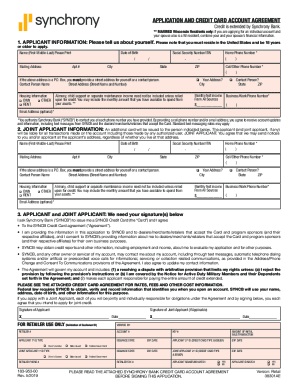
This guide provides comprehensive, step-by-step instructions for completing the Synchrony HOME Credit Card application online. Whether you are a first-time applicant or familiar with the process, this guide will help you navigate the necessary fields easily.
Follow the steps to successfully complete your application.
- Press the 'Get Form' button to access the credit card application form.
- Begin by entering your personal details in the applicant information section. This includes your full name, date of birth, and Social Security Number or ITIN. Ensure your contact details, including phone number and address, are accurate.
- In the housing information section, select whether you own your home, rent, or have other arrangements. Also, specify your monthly net income from all sources.
- If you are applying with a joint applicant, provide their personal information, including name, date of birth, Social Security Number or ITIN, and similar housing information.
- In the signature section, both you and the joint applicant (if applicable) must sign and date the application to confirm your agreement to the terms and conditions.
- Review your completed application for any errors or omissions before submission.
- After verifying all information, follow the on-screen prompts to submit your application. You may have options to save changes, download the form, or share it as needed.
Complete your application online today to take advantage of the benefits of the Synchrony HOME Credit Card.
Most Synchrony credit cards are linked to a store and can be used for purchases in that store only. If your card has a Visa or a Mastercard logo, you can use it anywhere.