Loading
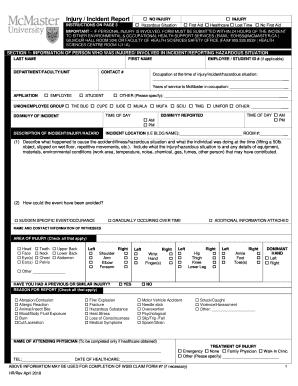
Get Canada Mcmaster University Injury/incident Report 2018-2026
How it works
-

Open form follow the instructions
-

Easily sign the form with your finger
-

Send filled & signed form or save
How to fill out the Canada McMaster University Injury/Incident Report online
This guide provides comprehensive instructions on how to accurately complete the Canada McMaster University Injury/Incident Report online. Understanding each section and field is crucial for ensuring a thorough documentation of the incident or injury. Follow these steps to assist in the proper reporting process.
Follow the steps to complete the Injury/Incident Report.
- Press the ‘Get Form’ button to access and open the Injury/Incident Report online in the editor.
- Begin by filling out Section 1, which contains information about the person who was injured or involved in the incident. Provide their last name, first name, department, contact number, and if applicable, employee or student ID.
- Indicate the affiliation status by selecting one of the options: Employee, Student, or Other. If other, specify exactly.
- Provide details about the incident including the time of day and the date reported. Specify both the date and time of the incident.
- In the description of the incident, explain what happened. Include specific actions leading to the incident, any injuries incurred, and contributing factors like environmental conditions.
- Check the appropriate boxes for the area of injury, specifying physical locations on the body that were affected.
- Complete the section regarding previous similar injuries and check the reasons for the report based on the nature of the injury.
- If healthcare was sought, provide the name and contact information of the attending physician and details of the treatment.
- Supervisor section (if applicable) must be filled out for lost time incidents, detailing shift schedules and return times.
- Finally, ensure all required signatures are gathered from the person involved, the supervisor, and department head before submission. Save changes, download, or print a copy of the completed form for your records.
Complete your documents online to ensure accurate and effective reporting.
Fatalities and major injuries must be reported by phoning the Incident Contact Centre or using the HSE's out of hours service. All other accidents can be reported via the Health and Safety Executive website.