Loading
Get Al Application For Certificate Of Competency 2017-2026
How it works
-

Open form follow the instructions
-

Easily sign the form with your finger
-

Send filled & signed form or save
How to fill out the AL Application For Certificate Of Competency online
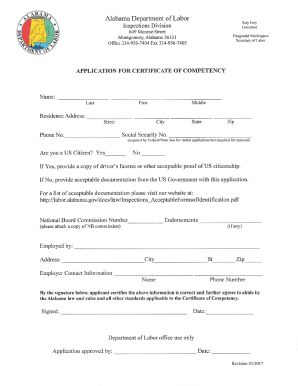
Filling out the AL Application For Certificate Of Competency online is a straightforward process that allows you to apply for your certification efficiently. This guide will walk you through each section of the form, ensuring you provide the necessary information accurately.
Follow the steps to complete your application seamlessly.
- Click ‘Get Form’ button to obtain the form and open it in the editor.
- Begin with the personal information section. Enter your full name, contact number, and email address. Ensure all details are accurate and up to date.
- Next, move to the qualifications section. Here, you will need to provide details about your education and previous certifications. Be prepared to upload any supporting documents if required.
- Proceed to the experience section. List relevant work experiences, including job titles, employers, and dates of employment. This will help establish your competency.
- Follow through to the declaration section. Review the statements and affirm your agreement by signing digitally, confirming that all information provided is truthful.
- Finally, review your application for completeness and accuracy. Once satisfied, you can save your changes, download, print, or share the form.
Complete your application online today to take the next step in obtaining your certification.
Lodging your application with Australia Post Check your form is complete. ... Take payment of the application fee. ... Take your photograph and attach it to your application. Check you have signed the Declaration and consent. Check your identity using our proof of identity requirements. Submit your application to AMSA.