Loading
Get Habitational Insurance Application
How it works
-

Open form follow the instructions
-

Easily sign the form with your finger
-

Send filled & signed form or save
How to fill out the Habitational Insurance Application online
Filling out the Habitational Insurance Application online can be a straightforward process if you have clear guidance. This guide aims to walk you through each section of the form, ensuring you provide the necessary information accurately and efficiently.
Follow the steps to complete your application online.
- Click the ‘Get Form’ button to access the application form and open it in your browser.
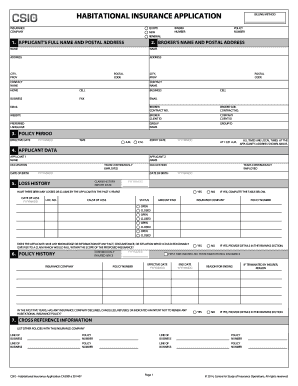
- Begin by filling out the applicant's full name and postal address in the appropriate fields, including your contact information. Make sure everything is accurate to avoid any processing delays.
- For the broker's name and postal address, enter the details of your insurance broker, including their contact name and billing method.
- Specify the policy period by entering the effective date and expiry date. Ensure you use the correct format (YYYYMMDD) and note all times are local to the applicant’s address.
- Provide information regarding the applicant's data, including names, occupations, dates of birth, and employment history for all applicants listed.
- Detail the loss history by indicating if there have been any losses or claims in the last five years. If applicable, complete the table with the dates, causes, amounts paid, and status.
- Input details about the policy history, including if you have been continuously insured and whether any insurer has declined or cancelled your previous policies.
- Fill out the risk address section, confirming the physical location you are insuring. You may select the option to use the postal address if it's the same.
- Provide all necessary rating information, including the number of storeys, year built, and other assessments related to the property for accurate coverage.
- Continue with the mortgagee or loss payee information, listing any relevant parties and their addresses.
- Add any attachments relevant to your application, making sure to describe them and note the occupancy date for the property.
- Complete the liability exposures section, answering all questions accurately to address any specific coverage requirements.
- Review the coverages section, selecting the types of coverage you desire and indicating if you have any extensions or exclusions.
- Fill in the premium information, detailing the estimated cost, payment plan, and any applicable taxes.
- Complete the final sections, including the full disclosure and personal information consent, ensuring you understand your obligations and permissions.
- Once all fields are correctly filled out, review your application thoroughly. Save your changes, and you may also download, print, or share the form as needed.
Complete your Habitational Insurance Application online today for fast processing.
There are three types of property insurance coverage: replacement cost, actual cash value, and extended replacement costs.