Loading
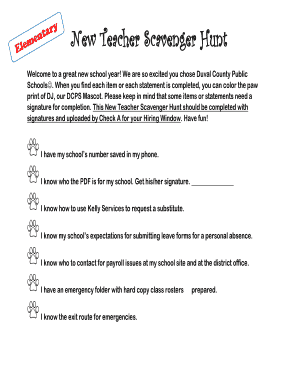
Get New Teacher Scavenger Hunt
How it works
-

Open form follow the instructions
-

Easily sign the form with your finger
-

Send filled & signed form or save
How to fill out the New Teacher Scavenger Hunt online
Welcome to your guide on completing the New Teacher Scavenger Hunt online. This document is designed to help you gather important information and signatures as you embark on your teaching journey within Duval County Public Schools.
Follow the steps to complete the form effectively.
- Click the ‘Get Form’ button to access the document and open it for completion.
- Begin by inputting your name and other required personal information at the top of the form.
- As you progress through the scavenger hunt, locate the various items listed. When you find an item or fulfill a statement, proceed to color the corresponding paw print of DJ, the mascot.
- For items requiring a signature, ensure you approach the appropriate person and obtain their signature in the designated areas.
- Complete the section regarding emergency procedures by confirming your understanding and noting the code names for those procedures.
- Fill in any additional spaces where you are asked about contacts, such as your school’s technology contact and the instructional coach.
- Once you have gathered all signatures and completed the tasks, review the form for any missing information or signatures.
- Finally, save your changes, and consider downloading or printing the form. Ensure to upload the completed document to Check A by your hiring deadline.
Complete the New Teacher Scavenger Hunt online to ensure you are well-prepared for your new role.
Actionbound is one of the more basic free scavenger hunt apps. The platform originally started as an educational tool, and has since morphed into a digital scavenger hunt provider for companies, educational institutions, and individuals.