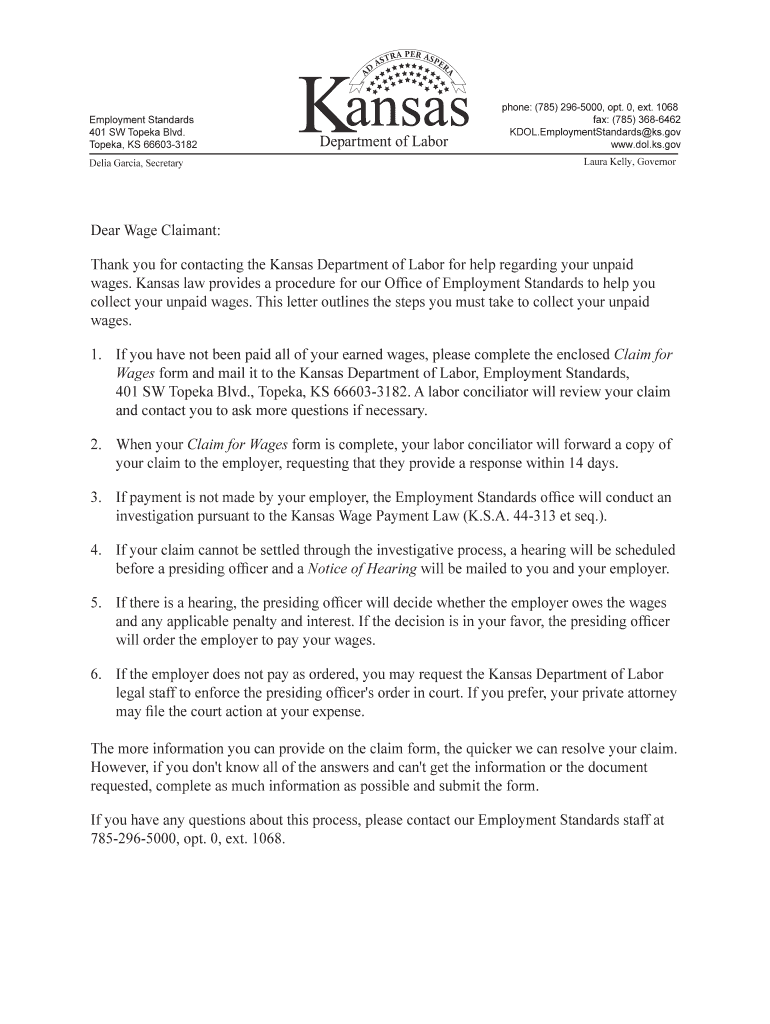
Employment Standards 401 SW Topeka Blvd. Topeka, KS 666033182 Delia Garcia, Secretaryphone: (785) 2965000, opt. 0, ext. 1068 fax: (785) 3686462 KDOL.EmploymentStandards ks.gov www.dol.ks.gov Laura.
Loading

Open form follow the instructions

Easily sign the form with your finger

Send filled & signed form or save
How to fill out the KS DoL Form K-ESLR 105 online
Filling out the KS DoL Form K-ESLR 105 is an important step in the process of claiming unpaid wages. This guide provides a clear and straightforward approach to completing the form online, ensuring you have all the necessary information ready for submission.
Follow the steps to fill out the KS DoL Form K-ESLR 105 online.
- Click ‘Get Form’ button to obtain the form and open it in the editor.
- Begin by filling out your personal details in the 'Claimant' section. Provide your first name, middle name, and last name, as well as your mailing address, age, and Social Security number.
- In the 'Employer Who Owes Wages' section, enter the name and contact details of your employer. Include their business name, phone number, mailing address, and corporate address if applicable.
- Continue with the 'Terms of Employment' section. Indicate whether you worked under a written contract and provide details regarding your pay structure, including how your pay was calculated and your rate of pay.
- In the 'Wages Claimed' section, specify the type of wages you are claiming and provide the total dollar amount claimed along with the period for which the wages were unpaid.
- Explain any relevant details regarding your claim, including agreements made with your employer and reasons given for non-payment.
- If there are any witnesses to your claim, list their names and positions in the appropriate section.
- Finally, review all information you have provided for accuracy and completeness. Once satisfied, you can save changes, download, print, or share the form as needed.
Complete your documents online to ensure a prompt resolution of your unpaid wages claim.
Experience a faster way to fill out and sign forms on the web. Access the most extensive library of templates available.
Related content
Complete the Wage Claim form (K-ESLR 105) found below. ... Secretary of the Kansas...
Oct 10, 2000 — The Inspector should check all the forms for line, elevation, plumbness...
31 Mar 2017 — *За исключением DSLR-A100. HVL-F43M - это...
Get answers to your most pressing questions about US Legal Forms API.
How do I register my employer in Kansas?
Employers FAQs Go to KansasEmployer.gov and select "Register". Once registration is complete, select "File a KCNS 010 Status Report to register your business for Unemployment Tax" on the next page. You will be taken through the steps to create a new unemployment tax account.
Can an employer hold your check for any reason in Kansas?
(a) Except as provided in subsections (b) and (c), no employer may withhold, deduct or divert any portion of an employee's wages unless: (1) The employer is required or empowered to do so by state or federal law; (2) the deductions are for medical, surgical or hospital care or service, without financial benefit to the ...
What is the KS wage Payment Act?
Guarantees a minimum wage of $7.25 for workers above the age of 18 years. Overtime pay is required after 46 hours of work in a work week. Employees and employers who are covered by the Fair Labor Standards Act (FLSA), which is federal law, are not covered by this law.
What to do if an employer doesn't pay you in Kansas?
If your employer has not paid your wages or benefits owed, file the Wage Claim form with the Kansas Department of Labor (KDOL) for wages under the provisions of the Kansas Wage payment Law, K.S.S 44-313 et. seq.
How do I report wage theft in Kansas?
If your employer has not paid your wages or benefits owed, file the Wage Claim form with the Kansas Department of Labor (KDOL) for wages under the provisions of the Kansas Wage payment Law, K.S.S 44-313 et.
What is the statute for minimum wage in Kansas?
The Kansas minimum wage is $7.25 per hour.
How long does an employer have to pay you after termination in Kansas?
(a) Whenever an employer discharges an employee or whenever an employee quits or resigns, the employer shall pay the employee's earned wages not later than the next regular payday upon which he or she would have been paid if still employed as provided under K.S.A.
What is the minimum wage act in Kansas?
Currently, the state's minimum wage is set at $7.25 and hasn't increased in 13 years. The increase would start at $10 in 2024 and would cease at $16 in 2027. On Friday, the bill was referred to the Senate Committee on Commerce. The minimum wage in Kansas hasn't been raised since it went from $6.55 to $7.25 in 2010.
Use professional pre-built templates to fill in and sign documents online faster. Get access to thousands of forms.
If you believe that this page should be taken down, please follow our DMCA take down process here.