Loading
Get Nm Human Rights Bureau Discrimination Complaint 2017-2026
How it works
-

Open form follow the instructions
-

Easily sign the form with your finger
-

Send filled & signed form or save
How to fill out the NM Human Rights Bureau Discrimination Complaint online
This guide provides a comprehensive overview of how to complete the NM Human Rights Bureau Discrimination Complaint online. It aims to ensure that users are informed and supported throughout the process, resulting in a thorough and accurate complaint submission.
Follow the steps to successfully submit your discrimination complaint online.
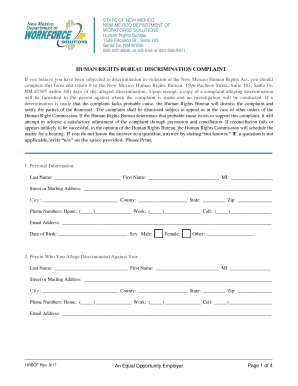
- Press the ‘Get Form’ button to access the NM Human Rights Bureau Discrimination Complaint form and open it in your preferred editor.
- Provide your personal information in the appropriate fields, including your last name, first name, middle initial, address, city, county, state, zip code, phone numbers, email address, date of birth, and gender. Ensure all information is accurate and up-to-date.
- Detail the identity of the person or entity you allege discriminated against you. Fill in their last name, first name, middle initial, address, city, county, state, zip code, phone numbers, and email address.
- If applicable, provide details about the organization involved in the discrimination. Include the organization’s name, address, city, county, state, zip code, phone numbers, email address, type of business, and number of employees.
- Indicate the issues involved in your claim of discrimination by checking all relevant boxes for employment, housing, credit, or public accommodation.
- Specify the basis for your discrimination claim by checking all relevant categories, such as race, age, sex, and other listed characteristics.
- Write a detailed description of the discrimination you experienced in the provided section. Attach additional pages if necessary to adequately detail the events.
- Identify the provisions of the law or regulations that support your claim, listing all that you believe are relevant.
- Provide information on when the alleged discrimination began and whether it is ongoing. Indicate if the discrimination has ended and, if yes, when it concluded.
- Confirm whether you have filed a charge in this matter with the Equal Employment Opportunity Commission (EEOC) by marking the appropriate response.
- Review your responses to ensure all questions have been answered fully. After completing the form, you can save changes, download, print, or share the document as needed.
Take action now by completing your NM Human Rights Bureau Discrimination Complaint online.
There are strict deadlines for filing a charge of discrimination, please review the information in the timeliness tab or call 1-800-669-4000. For individuals who are Deaf or Hard of Hearing, you can reach EEOC by videophone at 1-844-234-5122.