Loading
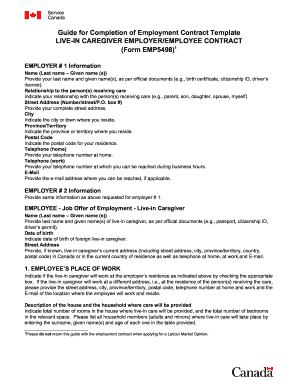
Get Canada Employment Contract
How it works
-

Open form follow the instructions
-

Easily sign the form with your finger
-

Send filled & signed form or save
How to fill out the Canada Employment Contract online
Filling out the Canada Employment Contract online is an important process that ensures both employers and employees understand the terms of employment clearly. This guide will provide you with step-by-step instructions to navigate each section of the contract effectively.
Follow the steps to complete your online Canada Employment Contract.
- Click ‘Get Form’ button to access the employment contract and open it in your preferred online editor or PDF viewer.
- Begin with the Employer #1 Information section. Enter the last name and given name(s) as per official documents. Specify your relationship to the person(s) receiving care, and fill in your complete street address, city, province/territory, postal code, home and work telephone numbers, and email address if applicable.
- Proceed to provide the same information for Employer #2, if applicable. Ensure all details are accurately reflected.
- In the Employee - Job Offer of Employment section, enter the live-in caregiver's last name and given name(s) as per their official documents, and input their date of birth. If known, include the caregiver's current address, city, province/territory, and postal code, along with their home and work telephone numbers and email.
- For the Employee’s Place of Work, indicate if the caregiver will work at the employer's residence or a different address. If different, provide the work address details, including telephone numbers and email. Describe the household where care will be provided, including the number of rooms and household members.
- In the Duration of Contract section, indicate the number of months and the anticipated start date of the employment.
- Review the Work Permit requirement, indicating your agreement that the contract is conditional upon the employee obtaining a valid work permit.
- Complete the Job Description section by listing each person requiring care along with their age and type of care needed. Below this, detail the primary responsibilities of the caregiver, specifying any additional duties.
- In the Work Schedule and Wages section, provide the total number of hours the employee will work weekly. Specify the start and end times for each workday, meal break duration, and whether they are paid or unpaid. Indicate days off, vacation days, sick days and their pay status, gross wages before deductions, and the pay frequency.
- Carefully review the policies on Recruitment Fees, Accommodation, Transportation Costs, Healthcare Insurance, and Workplace Safety Insurance, ensuring you agree with each section.
- Fill in the Notice of Resignation and Notice of Termination, providing the required weeks of advance notice based on your provincial/territorial employment standards.
- Sign and date the contract. Ensure both employers and the employee read all declarations carefully before signing.
- Once completed, save your changes, and download, print, or share the completed employment contract as needed.
Complete your documents online to ensure a smooth employment process.
Terms may be agreed orally, and not committed to writing but, they will still be legally binding on the parties. If you've never been given a written copy of your contract of employment, don't worry you will still have a contract, but its terms will be implied and/or agreed orally.