Loading
Get Tx Dl-16p 2014
How it works
-

Open form follow the instructions
-

Easily sign the form with your finger
-

Send filled & signed form or save
How to fill out the TX DL-16P online
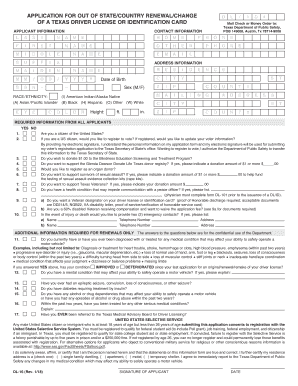
The TX DL-16P is essential for those seeking to renew or replace their Texas driver license or identification card while residing out of state. This guide provides clear instructions to assist you in completing the form efficiently and accurately.
Follow the steps to fill out the TX DL-16P online.
- Press the ‘Get Form’ button to access the TX DL-16P form and open it in your document management system.
- Enter your identification information in the designated fields including your last name, first name, middle name, and suffix as applicable.
- Provide your date of birth and last known driver license or ID number in the appropriate sections.
- Fill out your contact information including your home phone number, other phone number, email address, and your residential address.
- Review and select your race/ethnicity if required, as this information may be needed for demographic purposes.
- Complete the necessary questions regarding your health and driving history, particularly focusing on any medical conditions that may affect your driving ability.
- If applicable, check the box to request a veteran designator on your driver license, and submit proof if needed.
- Double-check all entered information for accuracy. Once confirmed, save your changes.
- Download, print, or share the filled form as per your needs, and ensure to submit any required documents along with the form.
Complete your documents online today for a seamless experience!
Get form
Experience a faster way to fill out and sign forms on the web. Access the most extensive library of templates available.
Get This Form Now!
Use professional pre-built templates to fill in and sign documents online faster. Get access to thousands of forms.