Loading
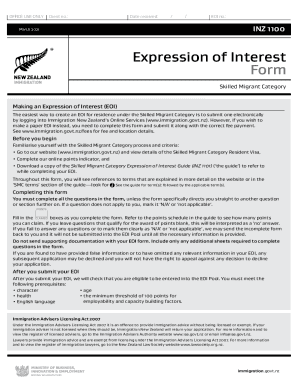
Get Nz Inz 1100 2021
How it works
-

Open form follow the instructions
-

Easily sign the form with your finger
-

Send filled & signed form or save
How to fill out the NZ INZ 1100 online
Completing the NZ INZ 1100 form is essential for making an Expression of Interest under the Skilled Migrant Category. This guide provides clear and detailed instructions on navigating each section of the form, ensuring all necessary information is submitted accurately.
Follow the steps to successfully complete the NZ INZ 1100 online.
- Press the ‘Get Form’ button to acquire the NZ INZ 1100 form and open it in the appropriate editor.
- Begin by reviewing the definitions and requirements set forth by the Skilled Migrant Category. Familiarize yourself with the online points indicator and download the NZ Skilled Migrant Category Expression of Interest Guide (INZ 1101) for reference.
- In Section A (Identity), provide accurate personal details as they appear on your passport, including family name, given name, date of birth, and nationality. Ensure you include all other names you have been known by.
- Complete your residential address and contact information. This will be considered your permanent address for tax purposes. Be mindful that your daytime and evening phone numbers should be accurate.
- In Section B (Character), answer the questions related to your criminal history and good character qualifications. Provide explanations where necessary, especially if you answer 'Yes' to any queries.
- Section C requires information about your health. Answer the questions regarding medical conditions and treatments truthfully, indicating if further explanation is necessary.
- In Section D (English Language Ability), state how you meet the minimum English language requirements. If applicable, include details of any English language tests completed.
- For Sections E and F, report details about your skilled employment and qualifications, respectively. Clarify how your claims align with the requirements indicated in the accompanying guide.
- Complete Sections G through L, detailing any relevant work experience, your partner’s information, and children. Ensure accuracy here as mistakes may lead to delays or rejection.
- Finish by signing the declaration in Section P, ensuring honesty and completeness in the information you provided.
- After finishing, save the completed form and keep a copy for your records. You may proceed to submit the form online or through any designated mail service as required.
Submit your NZ INZ 1100 form online today to take the next step toward your residency in New Zealand.
Get form
Experience a faster way to fill out and sign forms on the web. Access the most extensive library of templates available.
Get This Form Now!
Use professional pre-built templates to fill in and sign documents online faster. Get access to thousands of forms.