Loading
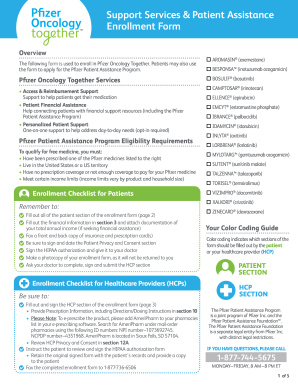
Get Enrollment Form - Pfizer Oncology Together
How it works
-

Open form follow the instructions
-

Easily sign the form with your finger
-

Send filled & signed form or save
How to fill out the Enrollment Form - Pfizer Oncology Together online
This guide will provide you with clear and supportive instructions on how to efficiently complete the Enrollment Form for Pfizer Oncology Together online. Each section of the form is designed to gather essential information to ensure you receive the best possible support services.
Follow the steps to complete the enrollment form successfully.
- Click ‘Get Form’ button to access the Enrollment Form and open it in the editor.
- Begin by filling in the Patient Information section. Enter the patient's full name, date of birth, sex, city, street address, state, email address, ZIP code, and primary phone number. Be sure to include the best time for contact and any caregiver information if applicable.
- Complete the Insurance Information section. Indicate whether the patient has commercial, Medicare, Medicaid, or other insurance. Provide details about the primary and secondary insurance policies, including policy numbers, policyholder's information, and whether the Pfizer medication is covered.
- Fill out the Patient Financial Information section, which includes the total number of people in the household and the total annual income. Attach supporting documentation such as a federal tax return or W-2 form.
- If applicable, complete the IV Co-pay Program section by indicating interest in the program if the patient has commercial insurance. Provide billing contact information required for reimbursement.
- Opt-in for Personalized Patient Support if desired. This section is optional but may offer valuable resources and assistance.
- Sign and date the Patient Privacy and Consent section. Ensure that the authorization for communication and sharing of information is acknowledged.
- Make a photocopy of the completed enrollment form for your records, as the original will not be returned.
- If applicable, instruct the healthcare provider to fill out and submit their section of the form, including prescription details and required signatures.
- Finally, submit the completed form by faxing it to 1-877-736-6506 or mailing it to Pfizer Oncology Together at the provided address.
Complete your Enrollment Form - Pfizer Oncology Together online today to access valuable support services.
Oncology Drug Pipeline & Cancer Clinical Trials Pfizer Oncology is committed to discovering, investigating, and developing transformative therapies that improve the outlook for cancer patients worldwide.