Loading
Get Bank Details Form - Ebr.com.au
How it works
-

Open form follow the instructions
-

Easily sign the form with your finger
-

Send filled & signed form or save
How to fill out the BANK DETAILS FORM - Ebr.com.au online
Filling out the BANK DETAILS FORM - Ebr.com.au online is a straightforward process that enables users to securely provide their banking information. This guide will walk you through each section of the form, ensuring a smooth experience.
Follow the steps to complete the BANK DETAILS FORM online.
- Click the ‘Get Form’ button to acquire the form and open it in the online editor.
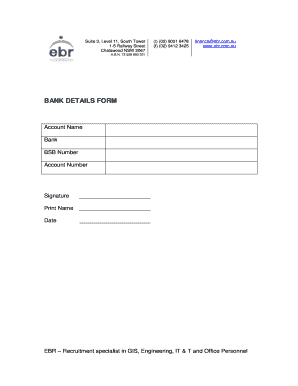
- In the ‘Account Name’ field, enter the name associated with the bank account. Ensure this matches the name on the bank records to avoid any discrepancies.
- Next, fill in the ‘Bank’ field with the name of your financial institution. This should be the bank where your account is held.
- In the ‘BSB Number’ field, provide the Bank State Branch (BSB) number for your account. This is a six-digit number used to identify your bank in Australia.
- Enter your ‘Account Number’ in the designated field. This is typically a 9-digit number that identifies your specific account within the bank.
- Sign the form in the ‘Signature’ section. This signature must be consistent with that on your bank records.
- Print your name in the ‘Print Name’ section to clearly identify yourself as the account holder.
- Finally, write the current date in the ‘Date’ field to indicate when the form was completed.
- Once you have filled out all required fields, you can save the changes, download, print, or share the form as needed.
Complete documents online with ease by following this guide.