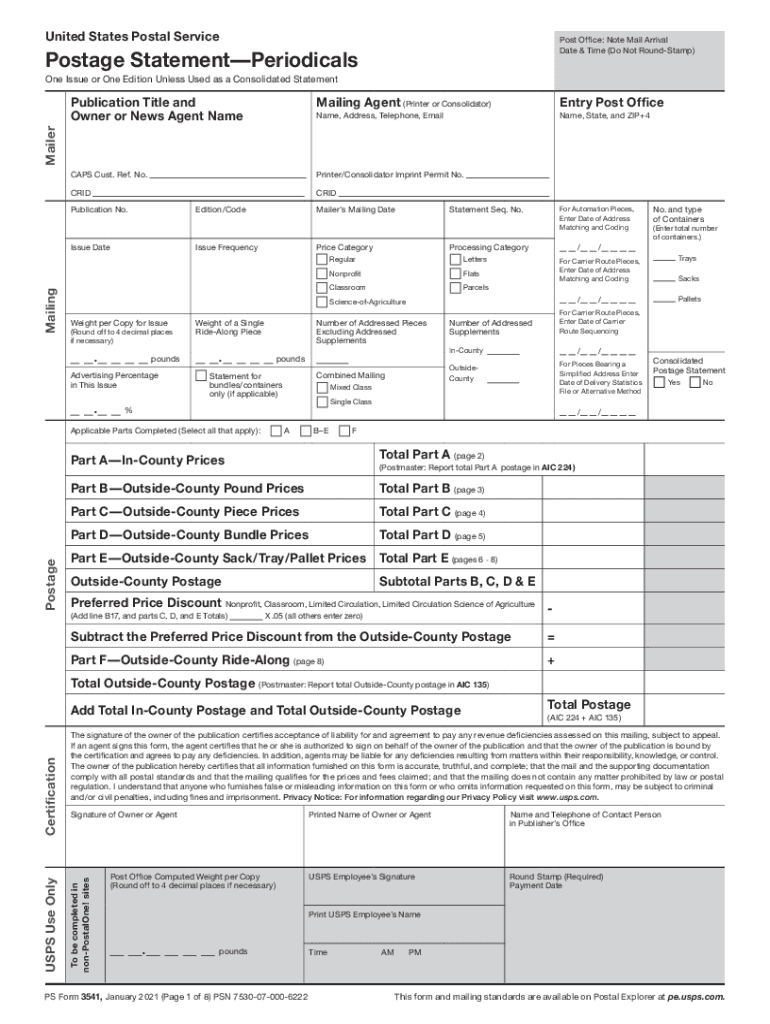
Privacy Notice For information regarding our Privacy Policy visit www. usps. com. USPS Use Only Name and Telephone Number of Contact Person in Publisher s Office Round Stamp Required Payment Date Round off to 4 decimal places if necessary Time AM USPS Employee s Signature Print USPS Employee s Name PS Form 3541-1 April 2016 Page 1 of 8 PSN 7530-07-000-6222 PM Owner or Agent s Signature Post Office Computed Weight per Copy To be completed in non-PostalOne sites Certification Add Total In-County Postage and Total Outside-County Postage This form and mailing standards are available on Postal Explorer at pe. 001 Periodicals In-County Subtotal Line A18 minus A19 0. 175 A21 Ride-Along Pieces Part A Total Add lines A3 A20 and A21 Postmaster Report in AIC 224 Part B For Nonprofit Classroom All commingled nonsubscriber or nonrequester copies over the 10 limit must pay regular prices use a separate PS Form 3541. United States Postal Service Post Office Note Mail Arrival Date Time Do Not Round-St....
Loading

Open form follow the instructions

Easily sign the form with your finger

Send filled & signed form or save
How to fill out the USPS PS 3541-1 online
Filling out the USPS PS 3541-1 form online can enhance your mailing experience. This guide provides clear instructions to help you navigate each section of the form efficiently and correctly.
Follow the steps to fill out the USPS PS 3541-1 online.
- Click ‘Get Form’ button to obtain the form and open it in the editor.
- Begin by completing the Mailer and Mailing sections on page 1. Ensure to list all containers in the Number and Type of Containers field, and select either Yes or No under the Consolidated Postage Statement.
- Prior to filling out the Postage section, navigate to parts A through E, completing the relevant sections based on your mailing criteria: Part A for In-County, Part B for Outside-County pound prices, Part C for Outside-County piece prices, Part D for Outside-County bundle prices, and Part E for Outside-County sack/tray/pallet prices.
- After completing the applicable parts, head to the Postage Section on page 1. Sum the postage from the Part Total box for each filled out section and insert these totals in the respective boxes on the front page.
- Review the Certification section carefully, signing it along with providing your telephone number. Attach all completed pages together, ensuring not to submit any blank pages.
- Once all steps are complete, you can save your changes, download, print, or share the form as needed.
Start filing your USPS PS 3541-1 form online today for a smooth mailing process.
Experience a faster way to fill out and sign forms on the web. Access the most extensive library of templates available.
Related content
government forms and documents used by the Postal Service. This is ... Adobe Form Client...
PS Form 3541-1, January 2013 (Page 1 of 7) PSN 7530-07-000-6222 This form and mailing...
Use professional pre-built templates to fill in and sign documents online faster. Get access to thousands of forms.
If you believe that this page should be taken down, please follow our DMCA take down process here.