Loading
Get Seller Disclosure Forms
How it works
-

Open form follow the instructions
-

Easily sign the form with your finger
-

Send filled & signed form or save
How to fill out the Seller Disclosure Forms online
Filling out the Seller Disclosure Forms online can be a straightforward process when you understand each section and field of the form. This guide provides step-by-step instructions to help users complete the form accurately and efficiently.
Follow the steps to successfully complete your Seller Disclosure Forms online.
- Click the ‘Get Form’ button to access the Seller Disclosure Forms and open it in the online editor.
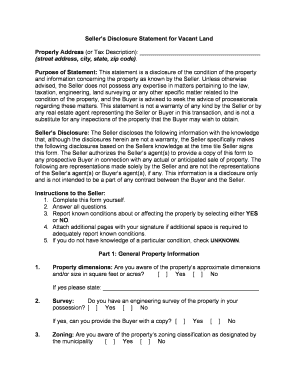
- Begin by filling out the proper address or tax description of the property at the top of the form. Ensure you accurately provide the street address, city, state, and zip code.
- Understand the purpose of the statement. It is designed to disclose the conditions of the property and information known by the seller, emphasizing that it is not a warranty and does not substitute for inspections.
- In the Seller's Disclosure section, disclose any information based on your knowledge by selecting 'Yes,' 'No,' or 'Unknown' as appropriate for the conditions affecting the property.
Take the necessary steps to complete your Seller Disclosure Forms online today!
Death in the Home. Neighborhood Nuisances. Hazards. HOA Information. Repairs. Water Damage. Missing Items. Other Possible Disclosures.