Loading
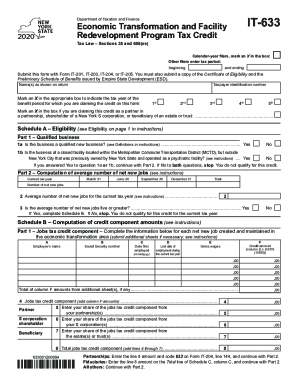
Get Ny It-633 2020
How it works
-

Open form follow the instructions
-

Easily sign the form with your finger
-

Send filled & signed form or save
How to fill out the NY IT-633 online
Filling out the NY IT-633 form is an essential step for taxpayers seeking benefits from the Economic Transformation and Facility Redevelopment Program Tax Credit. This guide will walk you through each section of the form, ensuring that you clearly understand each requirement and step necessary to complete it online.
Follow the steps to successfully complete the NY IT-633 online.
- Click ‘Get Form’ button to obtain the form and open it in the editor.
- Indicate your filing status by marking an X in the relevant box for calendar-year filers or input the tax period you are entering.
- Fill in the name(s) as shown on your tax return and provide your taxpayer identification number.
- Select the appropriate box to indicate the tax year benefit period for the credit you are claiming.
- If you are claiming the credit as a partner, shareholder, or beneficiary of an estate or trust, mark the corresponding box.
- For Schedule A, assess your eligibility by answering the questions in Part 1 about whether your business is qualified or located in a specified area.
- In Part 2, compute the average number of net new jobs for the current tax year and verify if you meet the minimum requirement.
- Proceed to Schedule B to compute the jobs tax credit component by inputting details such as employee names and gross wages.
- Follow the instructions to fill out the investment tax credit components in Part 2, providing details for qualified investments.
- Complete the training tax credit component in Part 3 by listing training expenses and calculating the corresponding credits.
- In Part 4, provide information regarding real property tax credits for properties located within and outside closed facilities.
- Finalize your application by summing up the credit components to calculate the total credits you are claiming.
- Once you have completed all sections accurately, save your changes, download the form for your records, print a hard copy, or share it as needed.
Complete your NY IT-633 application online just as outlined to ensure a smooth submission.
Get form
Experience a faster way to fill out and sign forms on the web. Access the most extensive library of templates available.
Get This Form Now!
Use professional pre-built templates to fill in and sign documents online faster. Get access to thousands of forms.