Loading
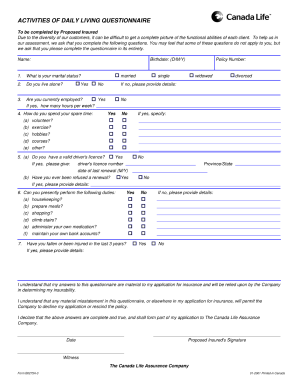
Get Canada Life B0275a-3 2001-2026
How it works
-

Open form follow the instructions
-

Easily sign the form with your finger
-

Send filled & signed form or save
How to fill out the Canada Life B0275A-3 online
Filling out the Canada Life B0275A-3 form online can simplify the process of submitting important information. This guide provides clear and thorough instructions to assist users in completing the form accurately and efficiently.
Follow the steps to complete the Canada Life B0275A-3 form online
- Press the ‘Get Form’ button to access the Canada Life B0275A-3 form and open it in your preferred editor.
- Review the form’s introductory section to understand its purpose. Ensure that you have all necessary information ready to fill out each section.
- Begin with the personal information section. Enter your full name, contact information, and any relevant identification numbers as instructed.
- Next, move to the details section. Provide accurate information regarding your health status or circumstances as required. This information is critical for processing your submission.
- Complete the consent section by acknowledging that you understand the terms outlined in the document. This often involves checking a box or signing your name.
- Double-check all entered information for accuracy, ensuring there are no errors or omissions.
- Once all sections are complete and reviewed, you can save your changes. Options typically include downloading a copy, printing the form, or sharing it as needed.
Take the first step and begin completing your Canada Life B0275A-3 form online today!
When using Canada Life B0275A-3, you typically have up to one year to make a claim. However, it is advisable to file as soon as possible after the qualifying event. Adhering to these timelines ensures that you will not miss out on the benefits that your policy covers. For more guidance on making claims, check out the USLegalForms platform.