Loading
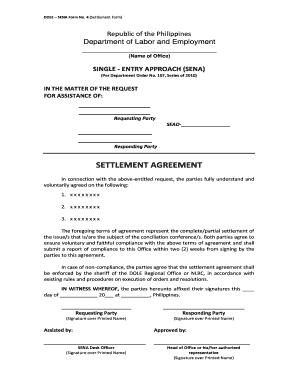
Get Sena Settlement Agreement
How it works
-

Open form follow the instructions
-

Easily sign the form with your finger
-

Send filled & signed form or save
How to fill out the Sena Settlement Agreement online
This guide provides a clear and concise overview of how to fill out the Sena Settlement Agreement online. Whether you are a user with little legal experience or looking for support in this process, this guide will walk you through each step to ensure accuracy and compliance.
Follow the steps to complete the Sena Settlement Agreement online
- Press the ‘Get Form’ button to obtain the Sena Settlement Agreement and open it for editing.
- Begin by filling in the name of the requesting party in the designated field. This is the individual or entity seeking assistance.
- Next, complete the section for the responding party. This is the individual or entity that will respond to the request for assistance.
- In the settlement agreement section, carefully outline the terms of the agreement. Note that these terms should be clear and mutually understood by both parties.
- Ensure that both parties agree to comply with the terms outlined in the agreement and plan to submit a report of compliance to the respective office within two weeks.
- Affix the signatures of both parties at the designated areas, ensuring printed names are clearly visible.
- If applicable, include the signatures of any assisting individuals and the approval signatures from the SENA Desk Officer and the head of the office.
- After completing the form, review all information for accuracy and clarity before saving your changes.
- Finally, download, print, or share the completed form as necessary to finalize your submission.
Start filling out the Sena Settlement Agreement online today!
The e-SEnA RFA form can be accessed at https://sena.dole.gov.ph/rfa_form.php or at the DOLE-7's website, ro7.dole.gov.ph. Under the said mechanism, requesting parties can accomplish the form online.