Loading
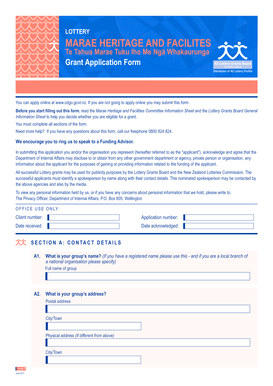
Get Lottery Marae Heritage And Facilities Application Form
How it works
-

Open form follow the instructions
-

Easily sign the form with your finger
-

Send filled & signed form or save
How to fill out the Lottery Marae Heritage And Facilities Application Form online
Filling out the Lottery Marae Heritage and Facilities Application Form online can be a straightforward process when approached systematically. This guide will provide you with step-by-step instructions to ensure you complete your application accurately and effectively.
Follow the steps to successfully complete your application online.
- Click ‘Get Form’ button to obtain the form and access it for completion.
- Begin with Section A: Contact Details. Here, enter your group's name, address, and contact information, including phone number and email. This section is critical as it establishes your identity as the applicant.
- Move to Section B: Marae Details. Provide a brief background of your organization and answer questions related to insurance and maintenance plans for the marae.
- Proceed to Section C: Project Details. Specify if your application is for a feasibility study, capital works or a project under $50,000. Provide relevant details and supporting documentation as required.
- Complete Section D: Sector Benefits. Identify the age groups and ethnic groups that will benefit most from your project, ensuring you reflect on the impact it will have on the community.
- In Section E: About the Funds, outline the overall cost of the project, including contributions from your marae and other funding sources. Be transparent about your budget and financial position.
- Continue to Section F: Financial Position. Here, detail your group's income and expenditure for the last financial year and explain any retained funds that are not for this project.
- Fill out Section G: Additional Information, providing any extra details that support your application. This is your opportunity to strengthen your case.
- Finally, review Section H: Previous Funding. Indicate if you have submitted accountability reports for any past grants and provide explanations where necessary.
- Before submission, ensure you check that all required supporting documents are attached. Common documents include community support letters, project budgets, and proof of land ownership.
- Once complete, save your changes and either download, print, or share the form as necessary. Ensure that you send the original application to the designated address.
Start your application online today and take the first step toward securing funding for your project.
If you would like to find out more about the funding available and how to apply for a lottery grant, please visit the NZ Lottery Grants Board's official website, Community Matters. Alternatively, you can call the Department of Internal Affairs on 0800 824 824 or email community.matters@dia.govt.nz to find out more.
Industry-leading security and compliance
US Legal Forms protects your data by complying with industry-specific security standards.
-
In businnes since 199725+ years providing professional legal documents.
-
Accredited businessGuarantees that a business meets BBB accreditation standards in the US and Canada.
-
Secured by BraintreeValidated Level 1 PCI DSS compliant payment gateway that accepts most major credit and debit card brands from across the globe.