Loading
Get Eng 2454 1965-2026
How it works
-

Open form follow the instructions
-

Easily sign the form with your finger
-

Send filled & signed form or save
How to fill out the ENG 2454 online
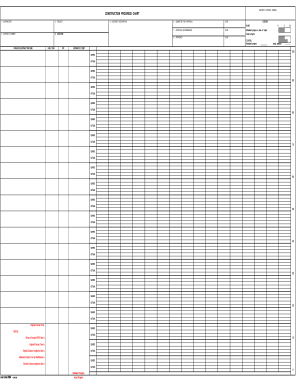
Filling out the ENG 2454 online can streamline your construction reporting process, ensuring that necessary information is documented and approved efficiently. This guide provides step-by-step instructions to help you navigate through the form seamlessly.
Follow the steps to complete the ENG 2454 online.
- Click ‘Get Form’ button to obtain the form and open it in your online editor.
- In the 'Contractor' field, enter the name of the contractor responsible for the project.
- In the 'Project' section, specify the title or name of the project clearly.
- Fill in the 'Contract Description' field with a brief overview of the contract related to the project.
- Provide the 'Contract Number,' ensuring it corresponds with official contract documentation.
- Enter the 'Location' where the project is being executed, including address details.
- Record the 'Date Submitted for Approval' to track when the form was sent for endorsement.
- In the 'Approval Recommended' section, include the date when recommendation for approval was made.
- Fill in the 'Approved' date once the project has received all necessary approvals.
- Document both scheduled and actual progress using the bars and curves, paying close attention to the estimated costs reflected in the fields provided.
- Verify and finalize all information, ensuring accuracy for data entered into the 'Notes' section.
- Once completed, save your changes, download, print, or share the form as needed.
Start completing your ENG 2454 online today for effective project management.