Loading
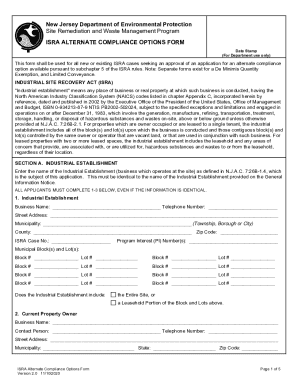
Get Nj Isra Alternate Compliance Options Form 2020-2026
How it works
-

Open form follow the instructions
-

Easily sign the form with your finger
-

Send filled & signed form or save
How to fill out the NJ ISRA Alternate Compliance Options Form online
This guide provides clear, step-by-step instructions on how to effectively complete the NJ ISRA Alternate Compliance Options Form online. Whether you are a seasoned professional or a new user, this guide is designed to facilitate your understanding of each section and field in the form.
Follow the steps to complete the form successfully.
- Press the ‘Get Form’ button to access the NJ ISRA Alternate Compliance Options Form, which you can fill out in an online editor.
- Begin with Section A, where you need to enter the name of the industrial establishment – this must match the name provided on the General Information Notice. Fill in the required fields: Business Name, Telephone Number, Street Address, Municipality, County, Zip Code, and ISRA Case Number.
- List the Program Interest Number(s) and municipal block(s) and lot(s) associated with the industrial establishment, ensuring you check either 'Entire Site' or 'Leasehold Portion' as applicable.
- Move to the next subsections where you will input details about the current property owner and business owner, including their business name, contact person, and addresses.
- If applicable, include details about any purchaser of the business or property following the same format for their information.
- Please provide a scaled site map showing the entire property, highlighting the area relevant to this application if it's a leasehold portion.
- If seeking a Remediation In Progress Waiver, complete Section B by following the prompts and checking the relevant statements regarding previous cases and current assessments.
- For those applying for a Regulated Underground Storage Tank Waiver, fill out Section C completely by checking the appropriate statements related to compliance and financial responsibility.
- In Section D, include the Licensed Site Remediation Professional's information and ensure they sign off certifying the accuracy of the information provided.
- Complete Section E, entering details for the person responsible for conducting remediation, and obtain their signature.
- After reviewing all information for accuracy and completeness, save your changes. You may also choose to download, print, or share the form as needed.
Complete your NJ ISRA Alternate Compliance Options Form online today to ensure timely processing.