Loading
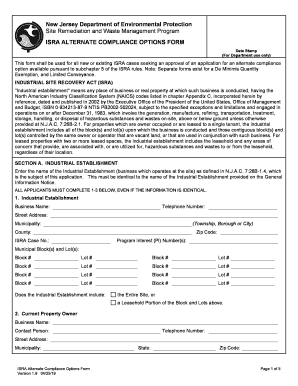
Get Nj Isra Alternate Compliance Options Form 2019
How it works
-

Open form follow the instructions
-

Easily sign the form with your finger
-

Send filled & signed form or save
How to fill out the NJ ISRA Alternate Compliance Options Form online
This guide provides clear and detailed instructions for users on how to effectively complete the NJ ISRA Alternate Compliance Options Form online. By following these steps, you will be able to navigate the form with ease, ensuring accurate and complete submission.
Follow the steps to fill out the NJ ISRA Alternate Compliance Options Form online.
- Press the ‘Get Form’ button to obtain the form and open it in the editor. This action will allow you to access the necessary document for completion.
- In Section A, enter the name of the Industrial Establishment as defined in N.J.A.C. 7:26B-1.4, which must match the name on the General Information Notice. Also, provide the telephone number, street address, municipality, county, zip code, ISRA Case Number, Program Interest Number(s), and municipal block(s) and lot(s) as required.
- For the current property owner, fill out the business name, contact person's name, telephone number, street address, municipality, state, and zip code in the designated fields.
- Repeat the process for the current business owner, entering the same details: business name, contact person's name, telephone number, street address, municipality, state, and zip code.
- If applicable, provide information about the purchaser of the business or property by entering the business name, contact person's name, telephone number, street address, municipality, state, and zip code.
- In Section B, indicate if seeking a Remediation In Progress Waiver by checking the appropriate box. Fill in the required details about the ongoing remediation, including case name and case number.
- Review and check the status of contamination at the industrial establishment, keeping in mind that any response must accurately reflect the current condition based on the preliminary assessment and site investigation.
- If seeking a Regulated Underground Storage Tank Waiver in Section C, proceed to check the corresponding box and confirm compliance status.
- Complete Sections D and E by providing the necessary information for the Licensed Site Remediation Professional and the person responsible for conducting the remediation. Ensure signatures and dates are included.
- Once all sections are completed, save changes, and consider options to download, print, or share the form for your records.
Complete your NJ ISRA Alternate Compliance Options Form online today!
Get form
Experience a faster way to fill out and sign forms on the web. Access the most extensive library of templates available.
Related links form
Get This Form Now!
Use professional pre-built templates to fill in and sign documents online faster. Get access to thousands of forms.