Loading
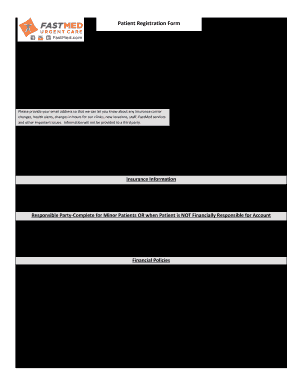
Get Patient Registration Form - Fastmed Urgent Care
How it works
-

Open form follow the instructions
-

Easily sign the form with your finger
-

Send filled & signed form or save
How to fill out the Patient Registration Form - FastMed Urgent Care online
Completing the Patient Registration Form for FastMed Urgent Care online is a straightforward process designed to streamline your visit. This guide will walk you through each step, ensuring you provide all necessary information for a smooth registration experience.
Follow the steps to complete the Patient Registration Form online:
- Click the ‘Get Form’ button to obtain the Patient Registration Form and open it in the designated editor.
- Begin by entering the date at the top of the form. Ensure it is the current date.
- Fill in your name using the fields designated for first, middle, and last names.
- Provide your date of birth in the specified format (MM/DD/YYYY).
- Enter your Social Security Number (SSN) in the designated area.
- Indicate your sex by selecting either ‘Male’ or ‘Female’.
- Select your marital status by marking the appropriate choice: Single, Married, Divorced, or Widowed.
- Write the name of your primary care practice or provider along with their phone number.
- Fill in your contact numbers, ensuring you provide at least one: main, mobile, or work.
- Enter your complete mailing address, including apartment number (if applicable), city, state, and zip code.
- Provide your email address for important updates regarding your care.
- Input the emergency contact's name and phone number.
- Indicate your ethnicity and preferred language by selecting from the provided options.
- Circle your race from the available choices.
- Select how you heard about FastMed by circling all applicable options.
- In the insurance information section, fill out the subscriber's name, relation to you, and their date of birth and SSN.
- If applicable, complete the responsible party section, providing the same details for the person financially responsible.
- Read and acknowledge the financial policies by signing where required.
- Acknowledge the Notice of Privacy Practices and Patient Choice Policy by signing and dating the respective sections.
- Finally, review your entire form for accuracy. Once all fields are complete, you can save changes, download, print, or share the form as needed.
Fill out your Patient Registration Form online today for a seamless visit to FastMed Urgent Care!