Loading
Get 2009 Schedule Se
How it works
-

Open form follow the instructions
-

Easily sign the form with your finger
-

Send filled & signed form or save
How to fill out the 2009 Schedule Se online
In this guide, you will learn the essential steps to fill out the 2009 Schedule Se online. This form is critical for individuals reporting self-employment income, helping to calculate the self-employment tax owed and ensuring compliance with tax regulations.
Follow the steps to successfully complete the 2009 Schedule Se online.
- Press the ‘Get Form’ button to access the form and open it in your preferred online editor.
- Begin by entering the name of the person with self-employment income in the specified field, as it appears on Form 1040.
- Enter the social security number of the person with self-employment income in the designated field.
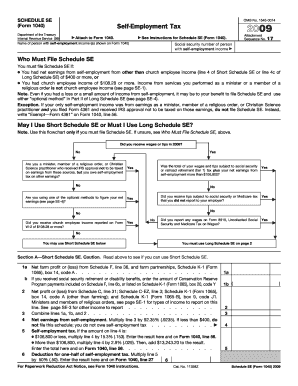
- Determine if you are required to file Schedule Se by assessing your net earnings from self-employment. If you had net earnings of $400 or more, continue to fill out the form.
- In Section A, for Short Schedule Se, report your net farm profit or loss from Schedule F and any other relevant income. Ensure to follow the instructions provided for each line carefully.
- In Section B, if filing the Long Schedule Se, complete the income details by summarizing your net earnings from self-employment as instructed.
- Proceed to calculate your self-employment tax based on the income reported in the previous steps, according to the guidelines for income thresholds.
- Once all sections are completed and reviewed, save your changes. You can also download or print the form for your records, or share it as necessary.
Ensure your tax obligations are met by completing your Schedule Se online today.
You must file a Schedule SE if one of the two below applies to you: You had net earnings from self-employment of $400 or more. You were a church employee and had income of $108.28 or more.