Loading
Get Inf 1106
How it works
-

Open form follow the instructions
-

Easily sign the form with your finger
-

Send filled & signed form or save
How to fill out the Inf 1106 online
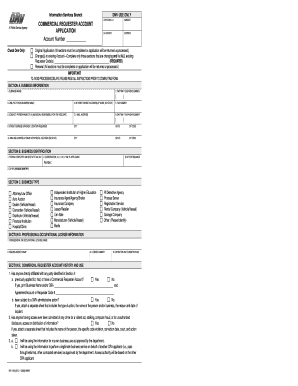
The Inf 1106 is a Commercial Requester Account Application form designed for individuals and organizations seeking access to certain information from the Department of Motor Vehicles (DMV). This guide provides clear, step-by-step instructions to assist users in completing the form online, ensuring a smooth application process.
Follow the steps to successfully complete the Inf 1106 online
- Click the ‘Get Form’ button to retrieve the Inf 1106 form and open it in your chosen online editor.
- In Section A, provide your business information. Fill in the business name, daytime telephone number, and any fictitious business name, if applicable. Include your website address, fax number, and designate a contact person along with their email and telephone number.
- Still in Section A, enter your street address, including the city, state, and zip code. If your mailing address is the same as your physical location, indicate that.
- In Section B, provide your Federal Employer Identification Number or State Tax ID. If applicable, include your corporation, LLC, LLP, or LP ID number along with the state of issuance.
- For Section C, select the appropriate business type that aligns with your operations such as attorney, dealer, manufacturer, etc.
- In Section D, give details about your professional or occupational license, including the licensee name, issuing agency, license number, and expiration date.
- Move on to Section E and indicate if any affiliated parties have a history related to Commercial Requester Accounts or DMV administrative actions. Attach a separate sheet if necessary.
- Proceed to Section F and specify whether you will obtain information through a DMV approved service provider. If yes, confirm if the access method will be online.
- In Section G, outline each proposed permissible use for the information requested and complete all necessary details for each use.
- Finally, in Section H, read and agree to the acknowledgment and certification statement, filling in the required city, county, and date. Include the signature of an authorized representative along with their printed name, title, and daytime telephone number.
- After completing the form, you can save changes, download, print, or share the form as needed.
Complete your Inf 1106 form online today to ensure timely processing of your application.