Loading
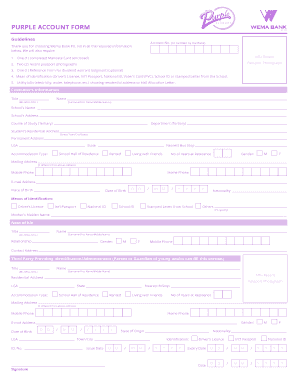
Get Wema Bank Purple Account Limit
How it works
-

Open form follow the instructions
-

Easily sign the form with your finger
-

Send filled & signed form or save
How to fill out the Wema Bank Purple Account Limit online
This guide provides clear and comprehensive instructions for filling out the Wema Bank Purple Account Limit form online. Designed to support users with varying levels of experience, it will walk you through each section of the form, ensuring a smooth and accurate submission.
Follow the steps to complete the form effortlessly.
- Click ‘Get Form’ button to access the form and begin editing it according to your specific information.
- In the 'Customer’s Information' section, provide your title and full name including surname, first name, and middle names. Ensure this matches your identification documents.
- Fill out the 'Next of Kin' details by providing their title, name, relationship to you, and contact information. This section is vital for emergency contact purposes.
- Provide your residential address, permanent address, and any other required contact details, making sure all addresses are current and accurate.
- Once all sections are filled out, review your entries for accuracy. After verification, you can save your changes, download, print, or share the completed form as needed.
Complete your Wema Bank Purple Account Limit form online today for a seamless banking experience.
If you want to check your account balance, then the USSD code to dial is *945#. The actual code to check the balance on your phone is *945*0#. After dialing the USSD code on your phone, follow the instructions on the screen to get your bank account's current balance.