Loading
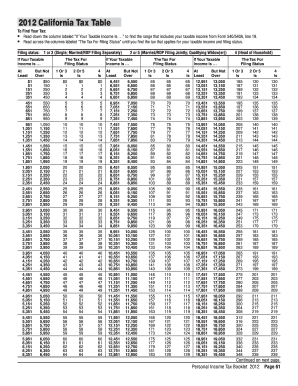
Get 540 Tax Table
How it works
-

Open form follow the instructions
-

Easily sign the form with your finger
-

Send filled & signed form or save
How to fill out the 540 tax table online
Filling out the 540 tax table online is a crucial step in accurately reporting your income and determining your tax liability. This guide provides clear, step-by-step instructions to help users navigate through each section and field with confidence.
Follow the steps to complete the 540 tax table online effectively.
- Click ‘Get Form’ button to access the 540 tax table and open it in your browser.
- Identify your taxable income as reported on the appropriate line of your Form 540/540A, specifically line 19.
- Locate the column labeled 'If your taxable income is...' and find the range that includes your taxable income.
- Move horizontally across the row corresponding to your income range to find the applicable tax for your filing status.
- Determine your filing status: 1 or 3 for Single or Married/RDP Filing Separately; 2 or 5 for Married/RDP Filing Jointly or Qualifying Widow(er); or 4 for Head of Household.
- Once you have identified your tax amount, you can save, download, print, or share the 540 tax table as needed.
Complete your documents online to ensure accuracy and efficiency.
The standard deduction for Married with two (2) or more allowances and Head of Household will increase from $8,472 to $8,802. The Single, Married, and Head of Household withholding tables will change. The annual personal exemption credit will increase from $125.40 to $129.80.
Industry-leading security and compliance
US Legal Forms protects your data by complying with industry-specific security standards.
-
In businnes since 199725+ years providing professional legal documents.
-
Accredited businessGuarantees that a business meets BBB accreditation standards in the US and Canada.
-
Secured by BraintreeValidated Level 1 PCI DSS compliant payment gateway that accepts most major credit and debit card brands from across the globe.