Loading
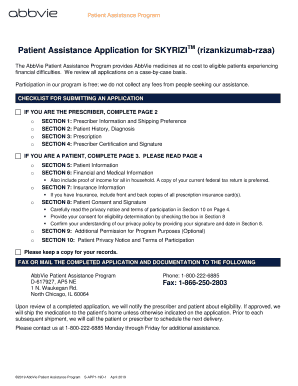
Get Skyrizi Patient Assistance Form
How it works
-

Open form follow the instructions
-

Easily sign the form with your finger
-

Send filled & signed form or save
How to fill out the Skyrizi Patient Assistance Form online
The Skyrizi Patient Assistance Form is designed to help individuals access AbbVie medicines at no cost if they are experiencing financial difficulties. This guide will provide step-by-step instructions to ensure that you can complete the form online accurately and efficiently.
Follow the steps to complete your application easily.
- Click ‘Get Form’ button to acquire the Skyrizi Patient Assistance Form and open it for editing.
- If you are the prescriber, complete Page 2. This section includes Prescriber Information and Shipping Preference, which require your office details and contact information.
- For the patient or individual applying, proceed to Page 3. Fill in your Patient Information, including your name, date of birth, and contact details.
- In the Financial and Medical Information section, provide details about your household income and include proof of income documentation.
- Complete the Insurance Information section, if applicable. This involves providing copies of your insurance cards and details about your insurance coverage.
- Read and review the Patient Consent section carefully. Consent to the terms and sign your name along with the date provided in this section.
- If you wish to allow someone else to discuss your application, complete the Additional Permission section with the necessary information.
- Finally, thoroughly review your completed application for accuracy. Once confirmed, you can save changes, download, print, or share the form as needed.
Complete your application online to access vital medication support.
With the Skyrizi Complete Savings Card, your eligible commercially insured patients may pay as little as $5 per quarterly dose. Terms and Conditions of the copay assistance program apply.