Loading
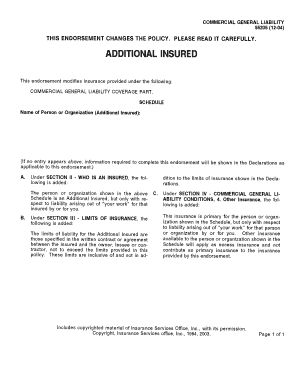
Get Additionally Insured Form
How it works
-

Open form follow the instructions
-

Easily sign the form with your finger
-

Send filled & signed form or save
How to fill out the Additionally Insured Form online
Filling out the Additionally Insured Form online can be a straightforward process when guided effectively. This guide will provide you with step-by-step instructions to ensure that you complete the form accurately and efficiently.
Follow the steps to complete your Additionally Insured Form online.
- Click ‘Get Form’ button to obtain the form and open it in the editor.
- Carefully read the introductory section of the form. This will provide important context and requirements for completing the document correctly.
- Begin filling in the fields as directed. Typically, the first section will ask for the name of the individual or entity being added as additionally insured.
- In the next section, provide the address of the additional insured party. Make sure to include full mailing details to avoid any issues with communication.
- Continue with any required fields, such as the type of coverage being requested, policy numbers, and any necessary endorsements. Ensure all information is accurate to prevent delays.
- Review all filled sections for accuracy before proceeding. Double-check the names and addresses for any typographical errors.
- Once all fields are completed, you can save your changes. Look for options to download, print, or share the completed form as necessary.
Start filling out your Additionally Insured Form online today!
An additional insured extends liability insurance coverage beyond the named insured to include other individuals or groups. An additional insured endorsement protects the additional insured under the named insurer's policy allowing them to file a claim if sued.