Loading
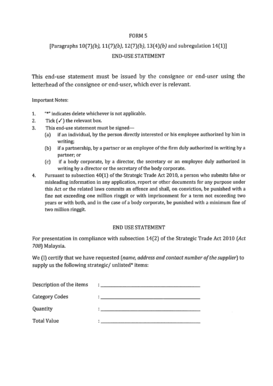
Get Form 5 - Miti - Miti Gov
How it works
-

Open form follow the instructions
-

Easily sign the form with your finger
-

Send filled & signed form or save
How to fill out the Form 5 - MITI - Miti Gov online
Filling out the Form 5 - MITI - Miti Gov online can be a straightforward process with the right guidance. This comprehensive guide will help you navigate each section of the form efficiently.
Follow the steps to complete the Form 5 - MITI - Miti Gov online.
- Click the ‘Get Form’ button to access the form and open it in your preferred editing tool.
- Begin by entering your personal information in the designated fields. Ensure you input accurate details, such as full name, identification number, and contact information.
- Proceed to the business information section. Fill in the name of your business, registration number, and address. Double-check for any errors.
- In the next section, provide details about the nature of your application. Clearly describe the purpose of the application and any relevant specifics.
- Review all information entered for completeness and accuracy. Make any necessary adjustments before finalizing.
- Once all fields are filled out and verified, save your changes. You can download, print, or share the completed form as needed.
Get started now and submit your Form 5 - MITI - Miti Gov online!
Related links form
MITI Approval means written approval issued by Ministry of International Trade and Industry, Malaysia for the transfer of Equity Interests of the Malaysian Target Company, and the execution of the relevant Ancillary Agreements by the Malaysian Target Company.