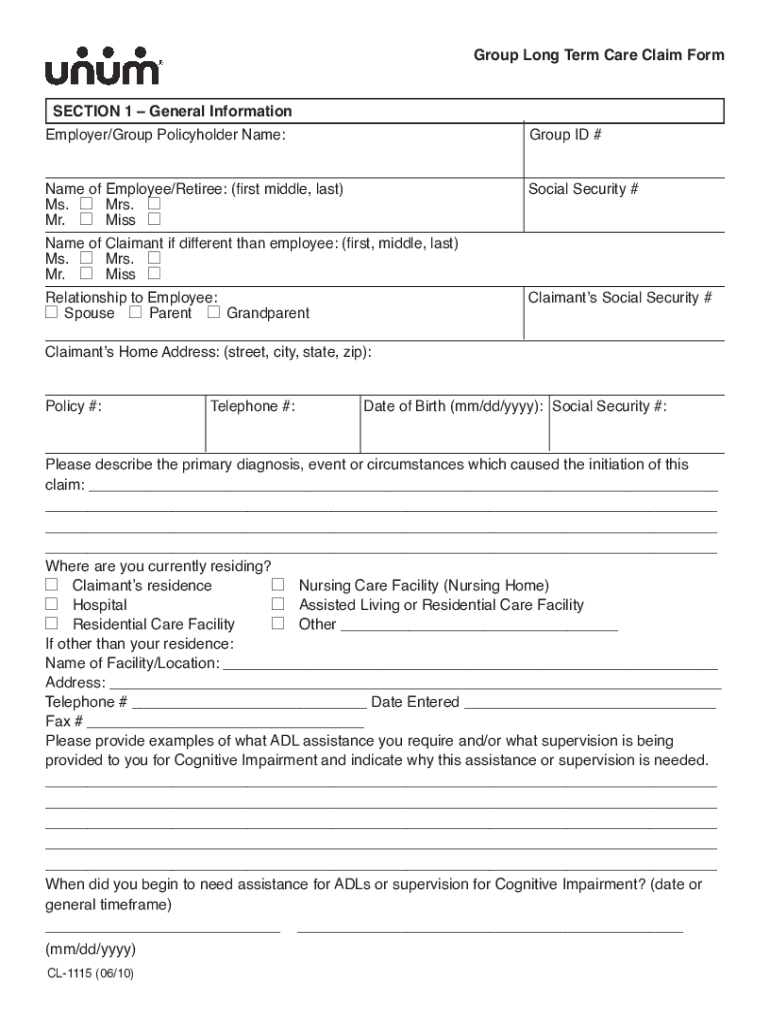
) or the presence of a Cognitive Impairment which causes the insured to require supervision from another individual. Cognitive Impairment generally means changes in mental status which may be associated with conditions like dementia or Alzheimer s disease. The standard Activities of Daily Living (ADLs) are: bathing, dressing, toileting, transferring, continence and eating. A loss of an ADL means that the insured is no longer able to perform that ADL without assistance from another person. Plea.
Loading

Open form follow the instructions

Easily sign the form with your finger

Send filled & signed form or save
How to fill out the Unum Long Term Care Claim Form online
Completing the Unum Long Term Care Claim Form online is an important step in accessing benefits under your long-term care insurance policy. This guide provides clear and supportive instructions to help you navigate each section of the form efficiently.
Follow the steps to complete your claim form online.
- Click ‘Get Form’ button to access the Unum Long Term Care Claim Form.
- Begin by filling out Section 1, which gathers general information about the employee or retiree, including their Social Security number and relationship to the claimant.
- In Section 2, provide details about the primary care physician, including their name and contact information, as well as other physicians involved in the claimant's care.
- Next, complete Section 3 with information about any hospitals or facilities where the claimant has been treated, including admission and discharge dates.
- In Section 4, list the caregivers providing assistance. Indicate whether care is provided by facility staff or informal caregivers, and document the type of care received.
- Finally, responsibly fill out Section 5, ensuring the Authorization to Release Information is properly signed. This section allows Unum to access necessary medical information for your claim.
- Review all completed sections for accuracy, save any changes, and proceed to download or print the form for submission.
Act now to complete your Unum Long Term Care Claim Form online and ensure your claim is processed quickly.
Experience a faster way to fill out and sign forms on the web. Access the most extensive library of templates available.
Related content
Unum Long Term Care (LTC). Enrollment ... following the date your form is received by...
Unum Life Insurance Company of America Provident Life and Accident Insurance Company. The...
Get answers to your most pressing questions about US Legal Forms API.
How long do you have to file a claim with Unum?
Disability claims should be submitted as soon as possible to ensure a claim decision is made in a timely manner. However, you should submit a completed claim form within 90 days after the loss begins.
How do I file an Unum claim?
You can get a claim form at unum.com/claims, or contact your HR department at work. Follow the instructions on the form to mail or fax your completed form. But for fastest results, file online if you can.
What is UNUM process?
Unum will make the initial decision on a Short Term Disability Insurance claim within five business days after receipt of a complete claim which includes: a completed Employee Statement form. a completed Employer's Statement form. a completed Attending Physician's Statement form, and. a signed medical authorization ...
How much does Unum pay for long term disability?
How is the monthly benefit calculated? The monthly benefit is 66 2/3 % of your monthly gross salary reduced by other forms of income, up to a maximum of $5,000 per month.
How long does Unum pay for long term disability?
If you have Disability Insurance and become unable to work due to injury or illness, you can file a claim with Unum and begin collecting benefits while on leave from your job. ... Benefits can be used as you see fit, to cover things like rent, car payments, day-to-day expenses or out-of-pocket treatment costs.
How long does it take Unum to process an accident claim?
Unum will make the initial decision on a Short Term Disability Insurance claim within five business days after receipt of a complete claim which includes: a completed Employee Statement form.
How much of your salary do you get on long term disability?
The size of your disability insurance benefit amount will depend on the policy. Generally, long term disability policies can replace anywhere from 60 percent to 80 percent of your income. In addition, many policies replace the income that is lost if you have to take a lower-paying job due to an injury or illness.
Does Unum offer long term care insurance?
Unum no longer markets the sale of new group or individual policies for long term care (LTC) insurance. But if you have Unum LTC coverage, rest assured: We are committed to all current policyholders now and in the future with the same benefits, services and support for a period of long term care.
Does Unum back pay?
When the determination is made that this claim is eligible for short-term disability insurance payment, Unum will pay you retroactively, back to the eligibility date of November 16.
Is long term disability paid monthly?
All LTD plans have a maximum monthly payment, which can range in between $4,000 per month to $25,000 per month. Read your policy's summary plan description or check with the human resources department at your company for the specifics of your plan.
Use professional pre-built templates to fill in and sign documents online faster. Get access to thousands of forms.
If you believe that this page should be taken down, please follow our DMCA take down process here.