Loading
Get Create A Tntap Login
How it works
-

Open form follow the instructions
-

Easily sign the form with your finger
-

Send filled & signed form or save
How to fill out the Create A Tntap Login online
This guide provides a clear and comprehensive pathway for users looking to create a Tntap login online. Follow the instructions step by step to ensure successful registration and access to motor carrier accounts.
Follow the steps to create your Tntap login easily.
- Click ‘Get Form’ button to acquire the form and open it in your editor.
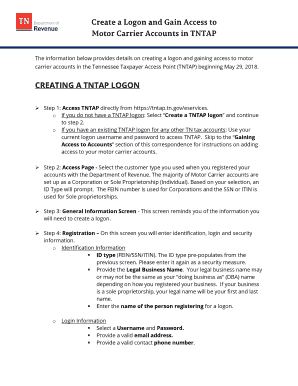
- Access the page by selecting the customer type you registered with the Department of Revenue. Most Motor Carrier accounts are categorized as either a corporation or sole proprietorship. Based on your selection, an ID type will appear; use the FEIN number for corporations and SSN or ITIN for sole proprietorships.
- On the general information screen, review the required details to create a logon, which will guide you through the rest of the registration process.
- Enter identification, login, and security information in the registration section. This includes: - Identification Information: - ID type (FEIN/SSN/ITIN) which should pre-populate from the previous selection. Enter it again for security. - Legal business name, which may differ from your 'doing business as' name; for sole proprietorships, this will be your first and last name. - Name of the person registering for the logon. - Login Information: - Choose a username and password, and provide a valid email address along with a contact phone number. - Security Information: - Set a secret question/answer and choose a method for receiving authentication on unrecognized devices.
- Decide how you would like to receive correspondence from the Department of Revenue, with email being the default option.
- Review all the information you've provided. You will be prompted to confirm your email address. If everything looks correct, proceed to submit the form. After submission, your TNTAP logon will be confirmed.
Complete your documents online today and gain access to your motor carrier accounts smoothly.
Related links form
Business tax can be filed and paid online using the Tennessee Taxpayer Access Point (TNTAP). A TNTAP logon should be created to file this tax. Click here for help creating your logon.
Industry-leading security and compliance
US Legal Forms protects your data by complying with industry-specific security standards.
-
In businnes since 199725+ years providing professional legal documents.
-
Accredited businessGuarantees that a business meets BBB accreditation standards in the US and Canada.
-
Secured by BraintreeValidated Level 1 PCI DSS compliant payment gateway that accepts most major credit and debit card brands from across the globe.