Loading
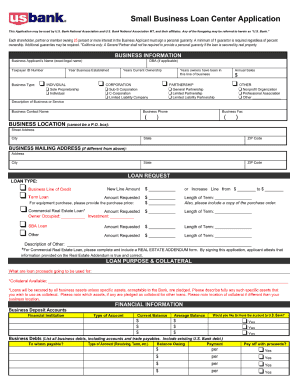
Get Us Bank Small Business Loan Center Application 2004-2026
How it works
-

Open form follow the instructions
-

Easily sign the form with your finger
-

Send filled & signed form or save
How to fill out the US Bank Small Business Loan Center Application online
Navigating the US Bank Small Business Loan Center Application can be straightforward with the right guidance. This guide will provide you with step-by-step instructions to ensure that you fill out the application correctly and efficiently.
Follow the steps to complete the application online.
- Click ‘Get Form’ button to obtain the form and open it in your online editor.
- Begin by providing your business's legal name and contact information in the designated fields. Ensure that all details are accurate and up-to-date.
- Next, describe the type of business you operate and select the appropriate business structure from the available options, such as sole proprietorship or corporation.
- In this section, you will need to provide financial information including annual revenue, business expenses, and any existing debts. Be prepared with your financial documents to assist in completing this accurately.
- Include information on the purpose of the loan, specifying how the funds will be utilized to support your business's growth.
- Review all entered information for accuracy and completeness. This is crucial to prevent any delays in the application process.
- Once everything is filled out, you can save your changes, download the document, print it, or share it with stakeholders as needed.
Get started with your application today!
Related links form
How do I check the status of my loan or line application? Log in to the Application Status page. Call us at 800-720-2265. Contact your local branch.