Loading
Get Ca Soc 295 2018-2026
How it works
-

Open form follow the instructions
-

Easily sign the form with your finger
-

Send filled & signed form or save
How to fill out the CA SOC 295 online
The CA SOC 295 form is essential for applying for In-Home Supportive Services in California. Properly completing this document is crucial for eligibility determination and service coordination. This guide will walk you through each section of the form to ensure a smooth application process.
Follow the steps to complete the CA SOC 295 form online.
- Click the ‘Get Form’ button to obtain the CA SOC 295 form and open it in your preferred online editor.
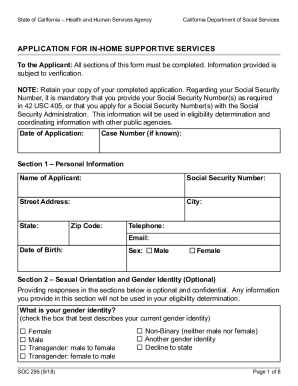
- Begin with Section 1: Personal Information. Fill in your name, Social Security Number, street address, city, state, zip code, telephone number, email, date of birth, and sex. Ensure all details are accurate and complete.
- Move to Section 2: Sexual Orientation and Gender Identity. This section is optional. If you choose to respond, select the appropriate options for gender identity, the sex listed on your original birth certificate, and your sexual orientation.
- Proceed to Section 3: Veteran Information. Indicate whether you are a veteran or the spouse/child of a veteran, and provide relevant names and claim numbers if applicable.
- In Section 4: SSI/SSP Information, confirm if you currently receive SSI/SSP benefits and select the type of living arrangement you are in.
- Section 5: Past IHSS Information asks if you have received IHSS services before. If yes, provide the last service date, the county where you received the service, and total monthly hours.
- In Section 6: Household Information, list all household members' names, birthdates, and Social Security Numbers, including parents, children, and any other relatives.
- Section 7: Ethnic and Language Information requires you to specify your ethnic origin and your preferred languages for reading and speaking. Completing this section is necessary as per the law.
- In Section 8: Communication Accommodations, indicate any required accommodations if you are blind or visually impaired. Specify your preference for DSS document formats.
- For Section 9: Affirmation, read and affirm the provided statements regarding the truthfulness of your information and your responsibilities as an IHSS employer. Sign and date the form.
- Finally, if applicable, fill out Section 10: Signatures. Include the name and contact information of any representative assisting you.
- Once you have completed all sections, save your changes, download, print, or share the CA SOC 295 form as needed.
Ensure your application is processed smoothly by completing the CA SOC 295 form online today.