Loading
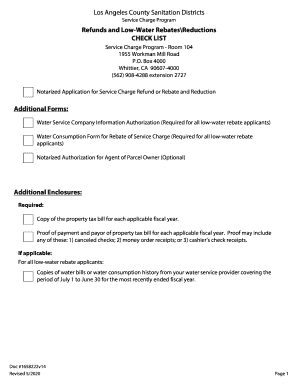
Get Refunds And Low-water Rebatesreductions
How it works
-

Open form follow the instructions
-

Easily sign the form with your finger
-

Send filled & signed form or save
How to fill out the Refunds and Low-Water Rebates/Reductions online
This guide is designed to assist you in completing the Refunds and Low-Water Rebates/Reductions form effectively. By following these instructions, you can ensure that your application is accurate and complete, facilitating a smoother refund or rebate process.
Follow the steps to successfully fill out the form online.
- Click 'Get Form' button to obtain the form and open it for editing.
- Begin by entering the property information. Fill in the Assessor's Identification/Parcel Number and the parcel address, including the city and zip code.
- In the Refund/Rebates section, check the box(es) for the fiscal year(s) you are applying for, such as 2018-2019 and 2019-2020.
- Provide the property owner's information. If there is more than one owner, make sure to check the appropriate box and refer to the instruction sheet. Fill in the legal owner(s), contact name (if different), mailing address, city, state, telephone number, and email address.
- If you are nominating an agent to act on your behalf, complete the Agent's Information section. Include the agent's name, contact name, address, city, state, telephone number, and email address.
- In the Description of Existing Improvements on Property section, select the type of property: Residential or Commercial. Provide relevant details such as the number of units for residential properties or business descriptions for commercial properties.
- Document the Refund/Rebate Basis. Indicate if you are applying for a refund or a low-water rebate/reduction and provide any relevant descriptions for errors or circumstances affecting your claim.
- Certify your application by completing the certification statement, ensuring you agree to the conditions listed and include the necessary additional forms.
- Sign and date the certification section. If necessary, arrange for notarization as indicated in the instructions.
- Once your form is complete, save your changes. You may also download, print, or share the form as needed.
Start completing your Refunds and Low-Water Rebates/Reductions form online today!
The Inflation Reduction Act created opportunities for nonprofits and governmental entities to monetize clean energy credits through cash refunds beginning in 2023. A multitude of energy investment and production credits can qualify for tax refunds.
Industry-leading security and compliance
US Legal Forms protects your data by complying with industry-specific security standards.
-
In businnes since 199725+ years providing professional legal documents.
-
Accredited businessGuarantees that a business meets BBB accreditation standards in the US and Canada.
-
Secured by BraintreeValidated Level 1 PCI DSS compliant payment gateway that accepts most major credit and debit card brands from across the globe.