Loading
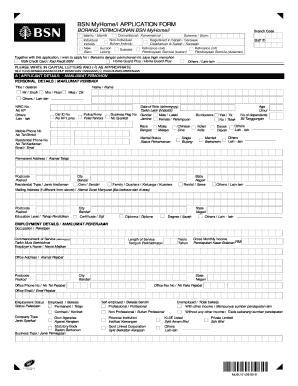
Get Bsn Myhome I Application Form
How it works
-

Open form follow the instructions
-

Easily sign the form with your finger
-

Send filled & signed form or save
How to fill out the BSN MyHome/i Application Form online
This guide provides clear and comprehensive instructions for users on how to complete the BSN MyHome/i Application Form online. Whether you are familiar with digital forms or new to online applications, this step-by-step guide will help you navigate the process smoothly.
Follow the steps to successfully complete your application form.
- Click the ‘Get Form’ button to retrieve the BSN MyHome/i Application Form and open it in your preferred digital editor.
- Begin filling out the Applicant Details section. Here, you will need to provide personal information, including your name, NRIC number, date of birth, and contact details. Ensure that you input this information accurately.
- Proceed to the Employment Details section. Enter your current occupation, employer’s name, and income details. Make sure to include the correct length of service and employment status.
- In the Spouse Details section, if applicable, fill out the requested information about your partner. Provide their personal and employment details similarly to how you filled out your own.
- Fill out the Expenses Details section. Here, list your monthly expenses such as rent, financing installments, and other financial obligations. This information is vital for the assessment of your application.
- In the Property Details section, describe the property you are financing, including the purchase price and type of property. Don't forget to mention if it's a new purchase, auction, or refinancing.
- After completing all sections, review the Declaration. Confirm that you understand and agree to the terms listed, then provide your signature and date to finalize your application.
- Save all changes to your form. You can then download, print, or share the completed application form as required.
Complete your BSN MyHome/i application form online today for a seamless experience.
We sincerely apologize for any inconvenience caused. For more details, please call BSN Contact Centre at 1300-88-1900.