Loading
Get Omb No 0938 0986
How it works
-

Open form follow the instructions
-

Easily sign the form with your finger
-

Send filled & signed form or save
How to fill out the Omb No 0938 0986 online
This guide provides a comprehensive overview of how to accurately complete the Omb No 0938 0986 form online. It aims to assist users of all experience levels in navigating the form's requirements effectively.
Follow the steps to fill out the form correctly.
- Press the ‘Get Form’ button to obtain the form and access it in the editor.
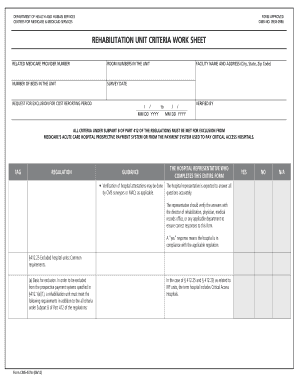
- Enter the information for the 'Related Medicare Provider Number' field. Ensure that you input the unique provider number assigned to the rehabilitation unit accurately.
- Fill in the 'Facility Name and Address' section. Include the full name of the hospital or rehabilitation unit, along with the address, city, state, and zip code.
- Indicate the 'Number of Beds in the Unit' by entering the total number of rehabilitation beds available at that facility.
- Specify the 'Survey Date' using the MM DD YYYY format to indicate the date of the survey related to the rehabilitation unit.
- Complete the 'Request for Exclusion for Cost Reporting Period' section, noting the period being requested for exclusion from Medicare's prospective payment system.
- In the subsequent sections, verify each criterion under Subpart B of Part 412 of the regulations. Answer 'Yes' or 'No' for each requirement based on the hospital's compliance.
- The form includes a verification section where the hospital representative verifies compliance with each of the outlined criteria. Ensure each answer is accurate and confirm with relevant departments if necessary.
- After completing all fields, review your entries to ensure consistency and accuracy throughout the document.
- Save the completed form, and choose to download, print, or share it as needed.
Take action now and complete your documents online to ensure accurate compliance.