Loading
Get Home Rehab Tracking Sheet
How it works
-

Open form follow the instructions
-

Easily sign the form with your finger
-

Send filled & signed form or save
How to fill out the HOME REHAB TRACKING SHEET online
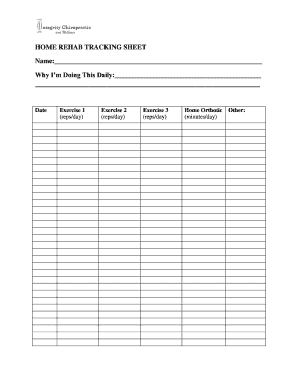
The Home Rehab Tracking Sheet is a valuable tool designed to help users monitor their rehabilitation exercises and progress. This guide provides clear, step-by-step instructions on how to effectively complete this form online.
Follow the steps to fill out the Home Rehab Tracking Sheet online.
- Click the ‘Get Form’ button to access the form and open it in your browser.
- In the 'Name' field, enter your full name to identify yourself in the document.
- In the 'Why I’m Doing This Daily' section, write down your motivation for completing this rehabilitation program to keep you focused and committed.
- Fill in the 'Date' field with the current date to track your progress accurately.
- For each exercise listed (Exercise 1, Exercise 2, Exercise 3), input the number of repetitions you plan to perform daily in the corresponding '(reps/day)' field.
- In the 'Home Orthotic' section, indicate the number of minutes you will use your orthotic device each day.
- If there are any additional exercises or activities, detail them in the 'Other' section, along with relevant information.
- Once all relevant fields are filled out, review your entries for accuracy. Ensure all information reflects your current rehabilitation plan.
- You can now save your changes, download, print, or share the completed form as needed.
Start completing your Home Rehab Tracking Sheet online today!